
Apple’s desktop lineup has undergone a quiet but profound transformation over the last few years. While the towering Mac Pro was once the undisputed king of high-end creative workflows, the evolution of Apple Silicon has shifted the center of gravity. Enter the 2026 iteration of the Mac Studio. Powered by the formidable M5 Max processor, this compact desktop powerhouse delivers such astonishing performance that creative professionals may finally stop wondering where the Mac Pro has gone.
By cramming desktop-grade performance into a remarkably small chassis, Apple has created a machine that effortlessly handles everything from heavy 8K video editing to running local, frontier-class artificial intelligence models. While high-end configurations can quickly become expensive, the M5 Max Mac Studio remains a surprisingly reasonable investment for professional creators, provided you configure its memory and storage options carefully.
Our Verdict
The 2026 Mac Studio equipped with the M5 Max CPU is an incredibly powerful, highly compact desktop computer. For users who do not overindulge in unnecessary RAM upgrades, it offers exceptional value given the sheer scale of its computing power. The M5 Max chip tears through demanding creative projects and local AI workloads with equal ease, solidifying the Mac Studio’s place at the top of the creative workstation market. It is a machine so capable that it renders larger, traditional tower PCs obsolete for the vast majority of professional workflows.

Key Specifications of the Tested Unit
The review unit supplied for testing represents a high-end configuration designed to handle extreme computing tasks. At its heart is the Apple M5 Max system-on-a-chip, featuring an 18-core CPU divided into six high-performance "Super" cores and 12 standard Performance cores. Unlike lower-tier Apple chips, this processor completely eschews efficiency cores to maximize raw computing throughput.
Graphics processing is handled by an integrated 40-core GPU, supported by a 16-core Neural Engine designed to accelerate on-device machine learning and artificial intelligence tasks. The system is equipped with a massive 128GB of high-speed LPDDR5 unified memory, providing a substantial 50 percent increase in memory bandwidth compared to previous generations. Storage is accommodated by a lightning-fast 4TB solid-state drive.
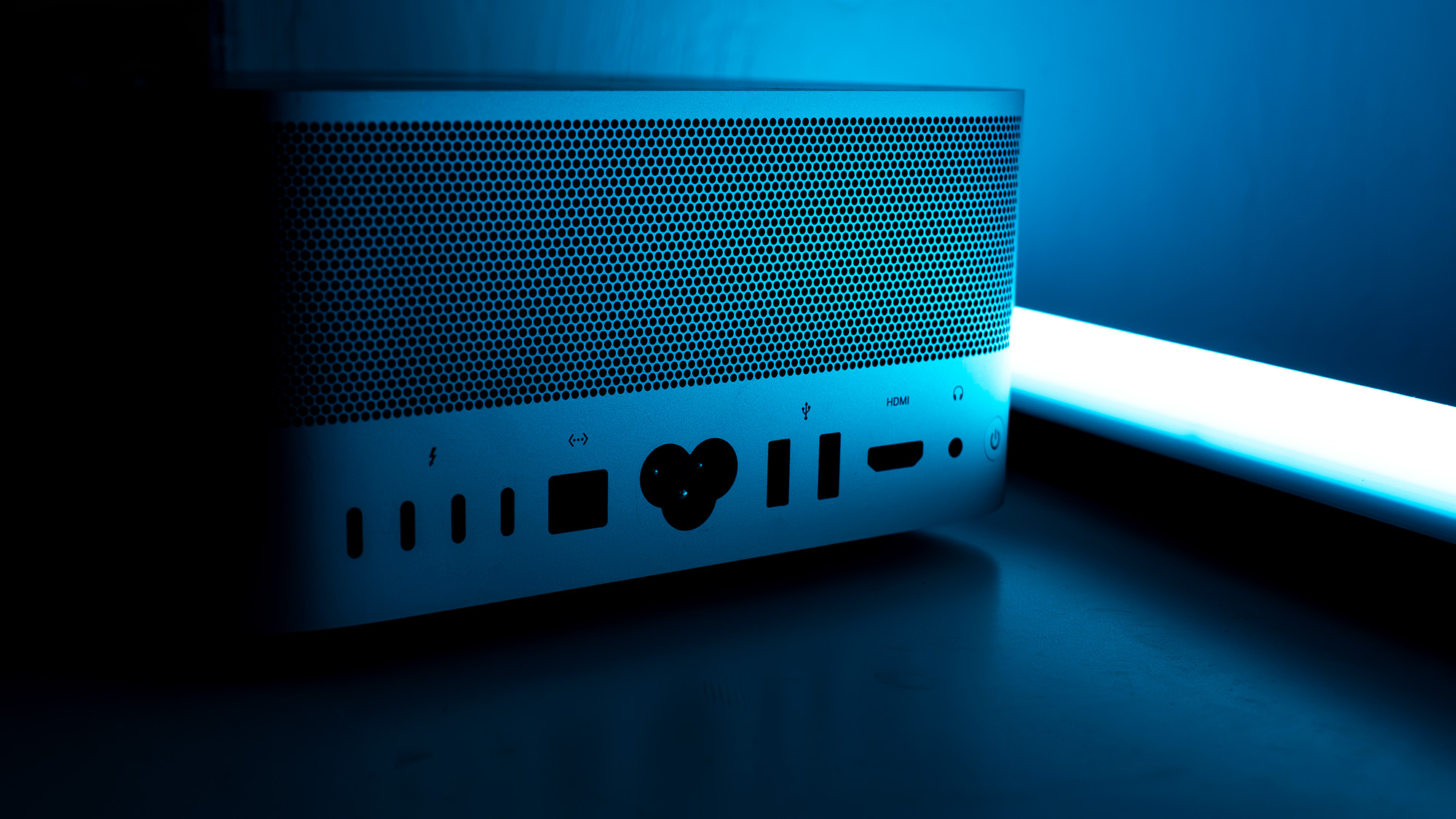
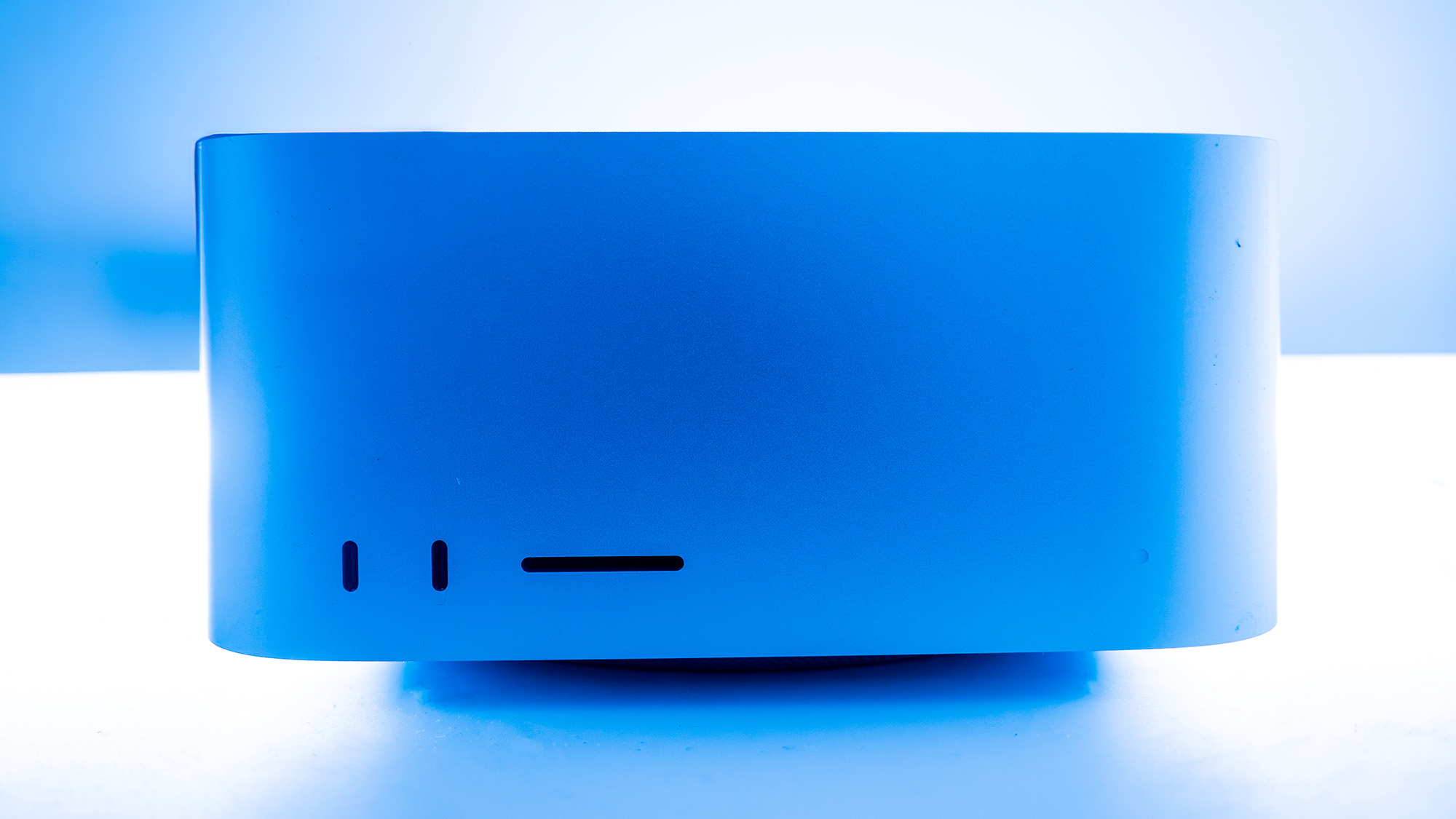
Physical connectivity on this model is exceptionally robust. The rear panel and front face host a total of four Thunderbolt 5 ports, two legacy USB-A ports, two USB-C ports, a dedicated SD card slot, an HDMI output, a high-speed 10Gb Ethernet port, and a standard 3.5mm audio jack. Wireless capabilities are similarly cutting-edge, featuring built-in support for Wi-Fi 7 and Bluetooth 6. Despite this immense hardware array, the physical footprint remains remarkably compact, measuring just 95mm in height and 197mm in both width and depth, with a total weight of 2.7 kilograms.

Design, Build, and Connectivity
Unboxing a new Apple product remains a highly polished, tactile experience. The packaging relies on a series of pull tabs, tear strips, and folding cardboard sides that slowly reveal the pristine aluminum monolith nestled inside. Externally, the 2026 Mac Studio remains virtually identical to the original chassis design first introduced in 2022. Apple has chosen to focus all its engineering efforts on internal silicon innovations rather than altering an industrial design that already works exceptionally well.
The physical aesthetic resembles a scaled-up Mac Mini, but it avoids the minor design compromises that have occasionally plagued Apple’s smaller desktop. The power button is located on the rear panel, positioned so that users can easily reach it without needing to lift or tilt the entire machine. A subtle, clear status light on the front panel indicates whether the computer is powered on.
One of the greatest design triumphs of the Mac Studio is its rich selection of ports, which largely eliminates the need for external docks or dongles. The front of the chassis features easily accessible USB ports and an SD card reader, making it incredibly convenient to plug in external storage drives or camera media on the fly. Furthermore, for users who own an Apple Studio Display, the Mac Studio is designed to sit perfectly beneath the monitor’s stand, creating a clean, integrated workspace.
While the higher-tier M5 Ultra version of the Mac Studio is physically heavier due to a more robust, copper-heavy thermal cooling system required for its dual-chip architecture, the M5 Max model remains surprisingly lightweight. Weighing in at under three kilograms, it is barely heavier than many high-end creative laptops. For a machine that sits comfortably at the top of the professional desktop market, this combination of power and portability is truly remarkable.
Advanced Features and AI Integration
While Apple continues to reuse its proven chassis design, the internal architecture of the M5 Max introduces significant technological leaps. This chip takes the baseline performance of the standard M5 processor and scales it up dramatically. Apple claims that the M5 Max offers up to 3.9 times faster artificial intelligence performance compared to the previous generation, and an impressive 4.3 times the peak AI compute performance of the older M3 Ultra.
For developers and researchers, the Mac Studio can be configured with up to a staggering 512GB of unified memory. Because Apple Silicon utilizes a shared pool of memory for both the CPU and GPU, this massive capacity allows the system to load and run exceptionally large, open-weight AI models locally. If a single machine is not enough, users can leverage the ultra-high bandwidth of Thunderbolt 5 to link multiple Mac Studio units together. A clustered network of four Mac Studios can deliver up to three times faster AI inference times than a single system, providing a viable, localized alternative to expensive cloud-based AI computing.

Of course, these hardware capabilities are not just for AI researchers. Creative professionals benefit immensely from the massive unified memory bandwidth and raw processing power. The M5 Max features specialized, hardware-accelerated media engines for decoding and encoding H.264, HEVC, ProRes, and AV1 video formats. This allows editors to color-grade uncompressed 8K video footage and play back multiple concurrent video streams in real time without dropping a single frame.
On the software front, Apple has shifted its professional creative applications to a unified subscription service called Creator Studio. For a monthly fee, users gain access to a suite of professional tools, including Final Cut Pro, Logic Pro, and Pixelmator Pro. This subscription model lowers the initial financial barrier to entry for these powerful applications, which should help revitalize interest in Apple’s in-house creative ecosystem.
Performance and Benchmark Analysis
To evaluate how well the Mac Studio performs across different professional disciplines, it was subjected to a rigorous benchmarking suite. These tests assess raw processor performance, graphics rendering capabilities, artificial intelligence processing speeds, and real-world creative application efficiency.
Processor and Graphics Benchmarks
In CPU-intensive tasks, the 18-core M5 Max established a commanding lead at the top of the benchmark charts. In Geekbench 6, the system claimed the top spot in both single-core and multi-core evaluations, widening the performance gap between Apple’s latest silicon and its closest competitors, such as the Snapdragon X2 Elite. In the newer Geekbench 2026 rendering tests, the M5 Max outpaced the Intel Core Ultra 9 290HX+ found in high-end portable systems like the Razer Blade 18 by almost 3,000 points. It also became the first CPU to break the 200-point barrier in Cinebench 2024’s single-core rendering test—a milestone achievement given that a score of 100 was previously considered excellent.
The 40-core integrated GPU also delivered stellar results. In Cinebench 2026 graphics rendering, the integrated GPU performed remarkably close to dedicated, full-size desktop graphics cards, finishing just 4.2 percent behind the Nvidia GeForce RTX 5070 Ti housed in the HP Omen 35L desktop. Furthermore, the M5 Max CPU nearly doubled the multi-core rendering performance of the AMD Ryzen 7 9800X3D, a processor highly favored by PC hardware enthusiasts.
Real-World Creative Applications
In actual creative workflows, the Mac Studio truly shines. In Adobe Premiere Pro, the system topped the charts, outperforming both its portable sibling, the MacBook Pro, and powerful Windows-based desktop rigs. The story was similar in Adobe Photoshop, where the Mac Studio’s superior thermal headroom allowed the M5 Max to run at peak speeds for longer periods, resulting in a 6 percent performance advantage over a MacBook Pro equipped with the exact same processor. Whether running complex batch-processing tasks in ON1 Resize AI or upscaling video using Topaz Video AI, the desktop chassis ensures that the processor never has to throttle its performance due to heat.
Gaming and AI Workloads
While Macs are rarely purchased primarily for gaming, the M5 Max proves that Apple Silicon is highly capable of running demanding modern titles. When running the graphically intensive Cyberpunk 2077 at a full 4K resolution using the demanding "Ray Tracing Ultra" preset, the Mac Studio maintained a smooth 60 frames per second, provided that MetalFX upscaling and AMD FSR frame generation were enabled. Dropping the rendering resolution to 1440p pushed the frame rate as high as 89 frames per second.
In dedicated AI workloads, the M5 Max performed admirably, sitting comfortably alongside high-end gaming laptops equipped with discrete GeForce graphics cards in single-precision tests. However, in heavily quantized AI tests, the system did slip slightly behind specialized mini-PCs like the Geekom A9 Max, though it still maintained a significant lead over the standard, non-Max M5 chip.
Pricing and Value
The configuration of the Mac Studio evaluated in this review—complete with 128GB of RAM and a 4TB SSD—carries a premium price tag of £6,899 / $6,899. However, for buyers who do not require such extreme memory and storage capacities, the entry-level M5 Max model starts at a far more accessible £2,499 / $2,499. This base configuration still includes a highly capable 16-core version of the M5 Max chip, 36GB of unified memory, and 512GB of solid-state storage.

While £2,499 remains a significant investment, it represents an incredible amount of computing power relative to its physical size. Buyers should carefully weigh their options, as a larger, louder Windows PC equipped with a dedicated Nvidia graphics card can offer competitive rendering performance in certain workloads for a similar price. However, very few machines can match the near-silent operation, compact footprint, and unified memory architecture of the Mac Studio.
Who Is the Mac Studio For?
The 2026 Mac Studio is designed primarily for high-level creative professionals, software developers, and AI researchers who require immense computational power. It is an ideal tool for video editors working with multi-stream 8K footage, 3D animators rendering complex scenes, and developers training or running local machine learning models.
For everyday productivity tasks, photo editing, or light video work, the Mac Studio is undoubtedly overkill. Users with more modest computing needs will find that the standard M5 processor, or even the upcoming M6 generation, provides more than enough performance for their daily workflows. But for professionals whose time translates directly to money, the rendering speeds and stability of the M5 Max make it an indispensable asset.

Alternatives to Consider
Apple MacBook Pro (M5 Max)
For professionals who require the immense power of the M5 Max chip but need to work on the go, the 14-inch or 16-inch MacBook Pro is the obvious alternative. It squeezes desktop-class performance, a brilliant Liquid Retina XDR display, and excellent battery life into a highly portable form factor, though it lacks the extensive port selection and thermal cooling advantages of the desktop Mac Studio.
HP Omen 35L
For creators who also want to game extensively or rely heavily on software optimized specifically for Windows and Nvidia’s CUDA ecosystem, the HP Omen 35L is a compelling choice. Powered by the AMD Ryzen 7 9800X3D processor and an Nvidia GeForce RTX 5070 Ti graphics card, this desktop offers incredible rendering and gaming performance, though it occupies far more physical desk space and generates significantly more fan noise under load.
HP Z2 Mini (G1a)
The HP Z2 Mini G1a is a direct Windows-based competitor to the Mac Studio’s form factor. This incredibly compact workstation is engineered for professional FX artists and AI developers, combining robust processing power with HP’s proprietary Wolf Security software suite, making it an excellent choice for enterprise environments that require tight data security.