In modern user interface design, small interactive components often carry a disproportionate weight in shaping the overall user experience. Among the most ubiquitous of these components is the accordion menu—a collapsible design pattern used to organize dense content, streamline navigation, and preserve precious screen real estate across mobile and desktop interfaces alike. Despite its widespread adoption, designers routinely debate the micro-details of accordion implementation: Which visual icon best communicates expansion? Should text labels link directly to parent pages while adjacent icons toggle open submenus? And how do subtle changes in icon choice alter user behavior?
Recent research conducted by the Nielsen Norman Group (NN/g) provides clear empirical answers to these long-standing interface questions. The findings offer a compelling look at user mental models, highlighting why split menus frequently degrade usability, why complex arrow schemes overcomplicate navigation, and why the humble downward-pointing caret remains the safest, most reliable choice for signaling collapsible content.
No Icon Equals Direct Page Navigation
A fundamental principle of web navigation is predictability. When users interact with a menu item, they rely on visual cues—or signifiers—to anticipate the result of their action. The NN/g research demonstrates that when a menu label lacks an icon entirely, users almost universally expect that clicking or tapping the item will navigate them directly to a brand-new web page.

When custom or non-standard icons are introduced in place of traditional indicators, usability often suffers. Custom visual symbols frequently fail to communicate accordion behavior because users lack an established mental model for them. Rather than recognizing a custom graphic as a toggle control, visitors are left guessing whether the interaction will trigger an on-page expansion, jump to a separate section, or open an external link.
Crucially, usability testing shows that users tend to interact with menu components holistically. For the majority of standard icons, participants in the research tapped fairly equally on the icon and on the text label itself. This behavioral pattern indicates that the choice of icon does not merely function as an isolated visual hint; it actively dictates user expectations across the entire clickable hit area.
+-------------------------------------------------------------------------+
| ACCORDION ICON USER EXPECTATION SUMMARY (Based on NN/g Research Data)   |
+-------------------------------------------------------------------------+
| Visual Cue        | Primary User Expectation           | Hit Area Taps  |
+-------------------+------------------------------------+----------------+
| No Icon           | Navigate directly to new page      | Label primary  |
| Custom Icon       | Confusing / Ambiguous outcome      | Split evenly   |
| Right Arrow (▶)   | Direct page navigation or scroll   | Split evenly   |
| Plus Sign (+)     | Add / Zoom / Expand (Overloaded)   | Split evenly   |
| Caret Down (▼)    | Expand accordion menu in place     | Icon preferred |
+-------------------------------------------------------------------------+
Many contemporary web designs attempt to solve complex structural hierarchies by adding elaborate systems of arrows and carets pointing in multiple directions depending on the current state of the UI. However, overcomplicating these state transitions often backfires. Visual cues do not need to indicate that a text label functions as a standard link. The rule of thumb for web design remains remarkably simple: if an element is a hyperlink intended to load a new page, the most clear and effective way to signal that function is to simply underline the text. Stripped of unnecessary decorative arrows or structural icons, plain underlined text works consistently across visual environments without confusing the user.

Confusing Behavior With Arrows and Split Buttons
Directional arrows are among the most frequently misused assets in navigation design. Research indicates that a solid right-facing arrow icon (▶) does not reliably signal that tapping will take the user to a new page, nor does converting that same icon to a down-facing arrow (▼) guarantee that users will anticipate an accordion opening underneath. Because directional arrows carry multiple competing meanings across operating systems and web applications, their inclusion often creates ambiguity rather than clarity.
A particularly problematic application of directional icons occurs in the implementation of split buttons within navigation menus. In a split-button menu pattern, tapping the text label navigates the user directly to a parent category page, while tapping the adjacent icon toggles an accordion open to reveal subcategory links.
Usability studies confirm that split menus are inherently harmful to user experience. Users rarely perceive a single navigation row as two distinct interactive zones with contrasting behaviors. Instead, they expect the entire menu row to perform one cohesive action. When a user attempts to expand a menu by tapping what they assume is a toggle—only to be abruptly routed to an entirely new web page because their finger landed on the text label—the resulting displacement creates friction and slows task completion.

SPLIT MENU PATTERN (HARMFUL):
[ Parent Category Text (Navigates to Page) ] | [ Icon (Opens Accordion) ]
---> High rates of accidental page navigation and user frustration.

RECOMMENDED ACCORDION PATTERN:
[ Parent Category Row (Opens Accordion Menu) ]
   └── [ "Overview" or "All Category" Link (Navigates to Page) ]
To eliminate this confusion, interface designers are advised to abandon split buttons for accordion navigation entirely. A far more reliable pattern allows the user to tap anywhere across the main category row to expose the underlying submenu. For designs that require access to a dedicated parent category page, a clean "Overview" or primary category link can be placed as the first item inside the expanded accordion list.
Major global platforms demonstrate the effectiveness of this unified approach. Logistics leader DHL employs a streamlined mobile navigation structure on its digital platforms, intentionally eschewing split menus and superfluous arrows. By allowing top-level menu categories to function strictly as accordions and providing clear internal links to overview pages, the interface provides a predictable experience that accommodates user intent without accidental page transfers.
Plus Icons and Standard Arrows Are Understood, But Can Be Misunderstood
When designing collapsible interfaces, creators frequently turn to plus/minus symbols (+/−) or vertical arrows (↓/↑) to communicate state changes. While these options perform better than custom or absent icons, both present underlying usability challenges due to icon overloading.

In modern software interfaces, the plus sign (+) is tasked with representing an extensive variety of distinct actions. Depending on the software context, a plus icon might signal:
- Creating a new item or document
- Adding a product to an e-commerce shopping cart
- Saving content to a user library or favorites list
- Zooming in on an image or map canvas
- Expanding a branch within a tree-view file directory
When applied to multi-level navigation structures—particularly on smaller mobile screens where multiple menu levels may remain expanded simultaneously—the plus sign loses its clarity. Users can easily misinterpret a plus icon as an action button to add an item or alter a setting rather than a structural control to reveal hidden text.
Similarly, standard vertical arrows (↓/↑) suffer from semantic overload. Users routinely associate directional arrows with scrolling to the bottom of a view, sliding a carousel panel, advancing to a next search match, or jumping to an anchor point elsewhere on the current page. Because these visual symbols carry competing operational meanings, their reliance within accordions can trigger momentary hesitation or misinterpretation depending on the user’s prior experience with other web applications.

Establishing Best Practices: The Case for the Downward Caret
When evaluating clarity, user expectation, and interaction accuracy, the Nielsen Norman Group’s findings single out the caret icon—a small, clean chevron or triangle pointing downward (▼)—as the safest and most effective choice for signaling collapsible accordion content.
Unlike standard arrows or ambiguous mathematical symbols, the downward caret is strongly associated with menu expansion. Research highlights a unique user behavior connected to carets: while most menu icons split user interaction evenly between the label and the icon graphic, users interacting with carets demonstrate a higher tendency to tap directly on the icon itself. This strong visual association reduces accidental clicks and reinforces the expected interaction model.
To maintain visual clarity, designers should adhere to a straightforward set of structural recommendations:

- Default Collapsed State: Display a caret pointing downward (▼) next to the menu text to indicate that hidden content resides directly below.
- Expanded State: Rotate the visual indicator to point upward (▲) or rightward (▶) upon user interaction to clearly signal that the section is currently active and can be closed.
- Alternative Controls: If carets cannot be integrated into a specific design system, standard plus/minus (+/−) controls serve as an acceptable secondary alternative.
- Hyperlink Distinction: Avoid using arrows, carets, or custom icons to indicate standard page links. Reserve iconography for functional controls, and rely on traditional text underlines or distinct styling for page navigation.
RECOMMENDED ACCORDION STATE INDICATORS:

[ Collapsed State ]   Section Title                      ▼
                      (Clean, clear indicator of downward expansion)

[ Expanded State ]    Section Title                      ▲
                      ├── Sub-category Link One
                      ├── Sub-category Link Two
                      └── Section Overview Page
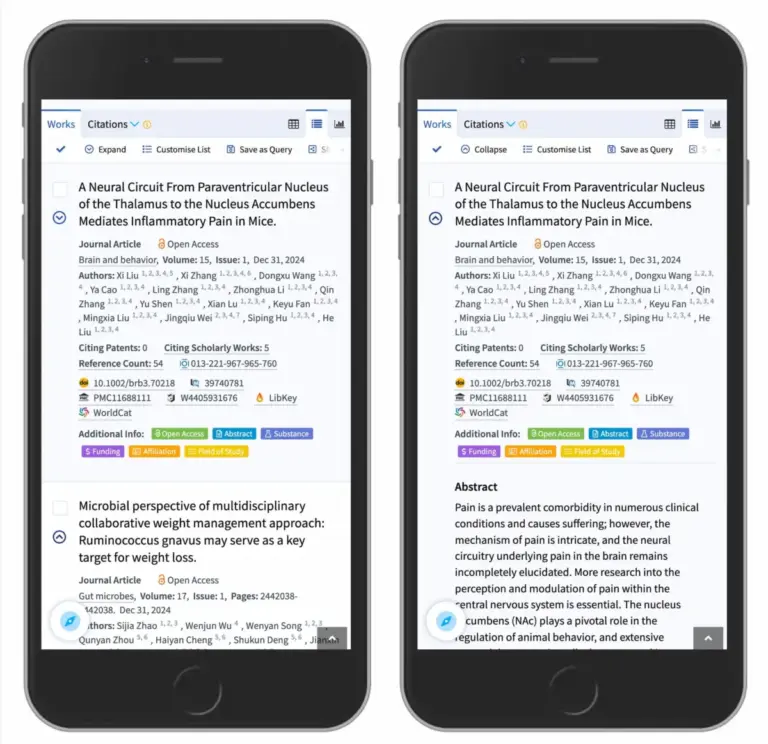
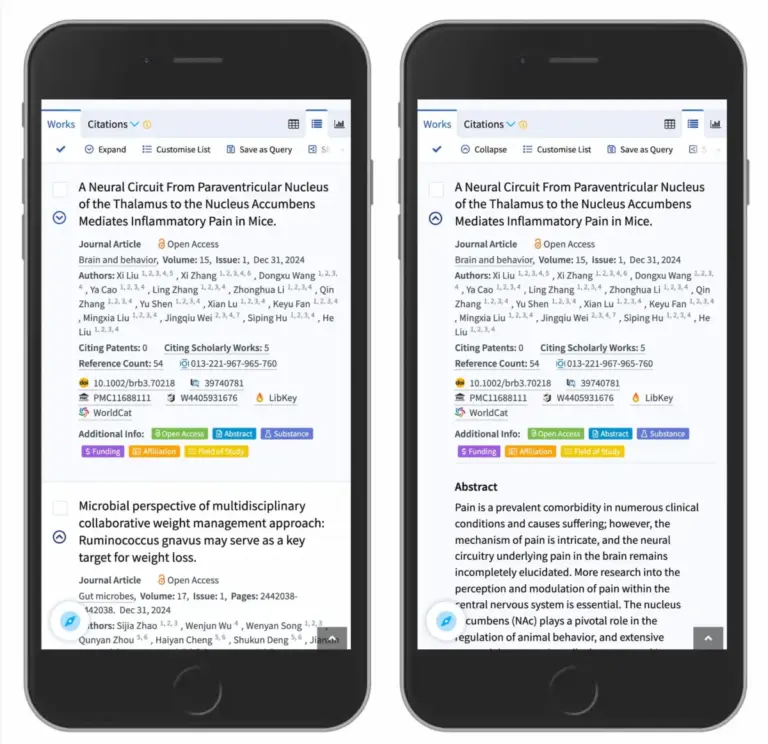
The efficacy of the caret pattern is routinely demonstrated across data-dense web platforms. Scholarly database Lens.org effectively uses downward carets across its mobile search results interface. When users encounter complex research entries, the down-caret clearly signals that tapping will drop down abstract summaries and structural metadata in place, without disrupting the user’s position on the search results page or forcing an unnecessary page reload.
Broader Usability Implications and Industry Takeaways
The empirical research surrounding accordion icons underscores a broader movement within interaction design toward functional simplicity and cognitive efficiency. As digital ecosystems grow increasingly complex, users benefit most from interfaces that minimize ambiguity and respect established mental models.
Split menus, overloaded directional symbols, and decorative navigation arrows frequently introduce unnecessary visual noise and interaction friction. By replacing complex visual schemes with unified hit areas, explicit text links, and predictable downward carets, interface designers can significantly reduce user errors across mobile and desktop environments.

Ultimately, effective user interface design is less about novel aesthetic choices and more about seamless usability. By adhering to core interaction patterns—where hyperlinks are clearly styled as text and collapsible containers are unambiguously marked by downward carets—creators can build digital experiences that are inherently accessible, highly usable, and responsive to user intent.