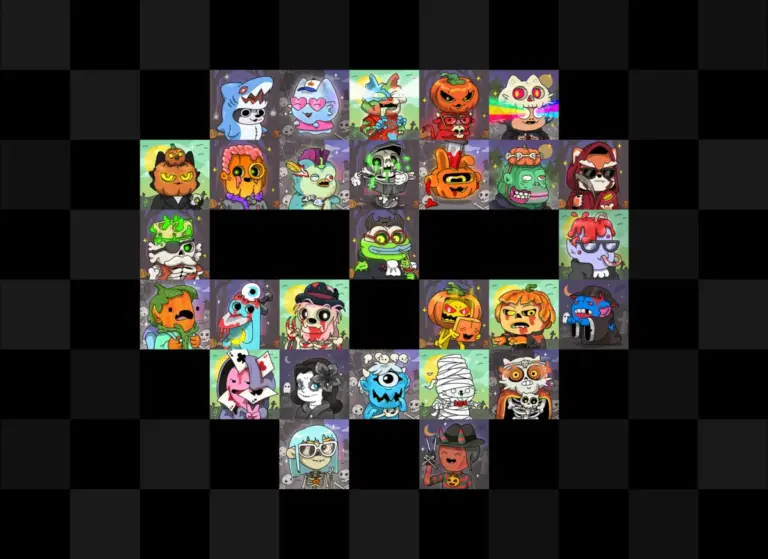
In his book on moral philosophy, How to Be Perfect, TV creator Michael Schur includes a chapter titled "The Luck of the Draw," exploring how the myth of meritocracy leads people to underestimate the role of pure chance in their lives. The notion that unpredictable forces govern outcomes is far from new, echoing classical philosophy from Heraclitus—who famously observed that one cannot step into the same river twice—to modern physics and computer science. In digital design, this reality is increasingly reflected on the screen. Web interfaces are beginning to embrace controlled chaos, allowing pages to exist in a state of subtle flux each time a user lands on them.
While extreme applications of nondeterminism, such as generative user interfaces (GenUI) in search engines, have drawn mixed reactions from users, presentational randomness is carving out a permanent place in modern front-end engineering. From decorative particle effects to dynamic visual layouts, developers are seeking cleaner ways to introduce variability without relying on heavy JavaScript logic. This movement has accelerated following the debut of the native CSS random() function in Safari, sparking both creative experimentation and technical workarounds to bridge the gap across other major browser engines.
Real-world use cases for randomness
In web development and consulting, greenfield projects frequently serve as an early indicator of emerging user experience trends. A common requirement across consumer and enterprise applications is the need for controlled visual excitement. A classic example is a randomized draw feature that triggers a burst of celebratory confetti upon completion.
While conceptually simple, implementing such features in production often reveals a friction between chaos and brand control. Enterprise client requirements frequently demand fine-grained governance over particle behavior, colors, and timing to align with brand guidelines. Teams often start with existing JavaScript libraries, only to ditch third-party plugins in favor of custom implementations when off-the-shelf solutions fail to provide sufficient control over randomized parameters.
This tension highlights a long-standing desire among web developers: the ability to manage presentational randomness directly within the CSS styling layer. Front-end standards have historically evolved by standardizing prevalent user interface patterns into declarative CSS properties—a process often referred to within the W3C as "paving the cowpaths."
Proponents of native CSS randomness, including developer Alvaro Montoro, argue that shifting these visual tasks to CSS adheres to the web’s Rule of Least Power. This principle suggests solving problems using the least powerful language capable of expressing the solution. By handling randomized layouts and animations declaratively rather than executing JavaScript logic, developers can build lighter, more performant web pages. Front-end engineers like Schalk Neethling have demonstrated how native CSS features can deliver precise control over complex visual effects like confetti while keeping client-side scripts lean.
In late 2025, Apple’s WebKit team took the lead in this space when Safari became the first browser to support the CSS random() specification as part of the Safari 26.2 update. The implementation arrived as part of a broader push to reduce framework dependencies and allow developers to resolve common design requirements using native HTML and CSS alone.
However, the current browser landscape presents an asymmetric experience for developers. While Safari users and WebKit developers gained early access to CSS random(), cross-browser availability remains uncertain. Indications of ongoing work exist within the bug trackers for both Chromium and Firefox, but neither browser has established a definitive release timeline or enabled the feature by default behind flags. This situation has left many front-end engineers unable to use the native syntax in production or on non-Apple operating systems, where browser updates are not tied to macOS or iOS release cycles.
+-------------------------------------------------------------------------+
|                        BROWSER IMPLEMENTATION MATRIX                    |
+---------------------+---------------------------------------------------+
| Safari (WebKit)     | Native support introduced in late 2025 (v26.2)    |
| Chrome (Chromium)   | Under active development; release date pending    |
| Firefox (Gecko)     | Bug tracking active; no public flag release yet   |
| Non-Safari Engines  | Supported via client-side CSS polyfill solutions  |
+---------------------+---------------------------------------------------+
Let’s polyfill CSS random()
The unexpected lead taken by Safari in shipping random() flipped traditional developer expectations, as emergent CSS features are frequently prototyped first in Chromium. Because Safari updates remain tied to system-level operating system releases, even Apple device users may not instantly run the latest browser version. These environment constraints created a clear case for a client-side polyfill to bring CSS random() support to non-Safari browsers and older client builds.
Developing a polyfill for CSS random() presents distinct engineering challenges compared to standard polyfills. Unlike simple property fallbacks, random() involves complex specification rules, including random caching, keying semantics, custom base values, and step intervals. Furthermore, because random() sits within an early editor’s draft of the CSS Values and Units Module Level 5, the specification itself remains subject to future refinements.
Polyfilling CSS functions also carries architectural risks, such as stylesheet re-parsing overhead or invalid syntax rejection by browser parsers. To maintain compatibility without introducing non-standard selectors, the open-source css-random-polyfill library targets intermediate custom properties. By declaring randomized parameters within standard CSS variable syntax prefixed with --random, stylesheets remain strictly valid across all parsing engines while allowing runtime execution where native support is absent.
When native browser support is detected—such as in modern WebKit environments—the polyfill yields entirely, allowing the engine’s native parsing pipeline to handle the expressions without performance overhead.
Demo: Random starfield
To demonstrate cross-browser parity, developers have adapted early Safari technical previews into universal implementations. A representative example is a randomized starfield demo originally crafted by Apple’s WebKit team, featuring scattered stars fading in and out at unpredictable intervals, set against subtle background shadows and tilting four-pointed star elements.
To migrate the WebKit-specific implementation to work seamlessly across Chrome, Firefox, and legacy Safari engines, the HTML targets a client-side polyfill script and applies a designated marker class (randomized) to the target elements:
<!-- The script processes usages of CSS random on page load -->
<script src="https://unpkg.com/css-random-polyfill@latest/dist/css-random-polyfill.js"></script>

<!-- Star elements with the "randomized" marker class -->
<div class="randomized star"></div>
<div class="randomized star"></div>
<div class="randomized star fourpointed"></div>
<div class="randomized star fourpointed"></div>
The accompanying CSS extracts randomized parameters into dedicated custom properties prefixed with --random. This approach preserves valid CSS syntax across all browsers while permitting JavaScript interpretation:
.star
  --random-star-size: random(1px, 7px, 1px);
  background-color: white;
  border-radius: 50%;
  aspect-ratio: 1/1;
  width: var(--random-star-size);
  position: fixed;

  --random-top: random(0%, 100%);
  --random-left: random(0%, 100%);
  top: var(--random-top);
  left: var(--random-left);

  --random-hue: random(0, 360);
  filter: drop-shadow(0px 0px calc(var(--random-star-size) * 0.7) oklch(0.7 0.2 var(--random-hue)))
    drop-shadow(0px 0px calc(var(--random-star-size) * 3) white);
  mix-blend-mode: hard-light;

  --random-speed: random(2s, 5s);
  animation: fade-in var(--random-speed);
  animation-iteration-count: infinite;

  --random-delay: random(2s, 5s);
  animation-delay: var(--random-delay);
  animation-direction: normal;
This implementation highlights core specification features, including optional step intervals to restrict generated values to whole increments:
--random-star-size: random(1px, 7px, 1px);It also highlights the element-shared base keyword, which synchronizes randomized parameters across matching elements—such as locking all four-pointed stars to a uniform tilt angle:
.star.fourpointed
  --random-rotation: random(element-shared, -45deg, 45deg);
  rotate: var(--random-rotation);
While native CSS random() permits inline placement anywhere within a property value, storing values in intermediate custom variables allows polyfills to operate cleanly. Once native browser support achieves full baseline availability, developers can deprecate the polyfill script without modifying their underlying styling architecture.
Demo: Random Colored Grid Cells
Beyond decorative particle fields, the CSS random() specification offers utility in structured spatial layouts. Web development commentator Chris Coyier noted the compelling potential of declarative randomness following early Safari previews. A key test case involves randomized grid assignments within a dense 100×100 CSS grid layout.
The polyfill handles complex inline syntax rules, including property substitution and multiple embedded random() calls inside shorthand property assignments. For instance, dynamic grid placement can be expressed cleanly by combining variables with layout functions:
.rectangle
  --random-grid-area: random(1, var(--rows), 1) / random(1, var(--columns), 1);
  grid-area: var(--random-grid-area);
This flexibility allows complex layout systems to generate distinct visual compositions on page load without requiring JavaScript manipulation of the Document Object Model (DOM).
Demo: Wheel of fortune
A practical UI application of presentational randomness is the spinning prize wheel, demonstrated by Safari team engineer Tim Nguyen. This pattern showcases the specification’s ability to combine mixed physical units within typed arithmetic calculations:
@keyframes spin
  from
    rotate: 0deg;

  to
    rotate: var(--random-rotation);


#wheel
  --random-rotation: random(2turn, 10turn, 20deg);
The underlying CSS specification dictates that value parameters must be resolvable to a single shared data type. Consequently, mixing turn-based rotation units (turn) with degree angular units (deg) is valid because both resolve to the fundamental CSS angular data type, matching how calc() evaluates typed arithmetic expressions.
In client-side polyfill environments, dynamic evaluation occurs against computed styles present during initial DOM rendering. While reactive updates to state changes—such as interactive checkbox toggles—require advanced style observers or mutation tracking, evaluating computed styles on initial render fulfills the primary requirements for declarative layout generation.
Demo: Random squares
Demonstrating basic functionality often requires minimal code structures. An example popularized by Chris Coyier uses three randomly placed and colored squares to illustrate fundamental specification compliance. Enhancing this test case to randomize element dimensions verifies the polyfill’s handling of custom key caching and shared random values:
--random-height: random(--side, 40px, 100px);
--random-width: random(--side, 40px, 100px);

width: var(--random-height);
height: var(--random-width);
By specifying a custom identifier (--side), both height and width properties resolve to the exact same generated random value per element instance, maintaining perfect square aspect ratios while randomizing dimensions across elements.
Chromium-only bonus demo: Simulate random-item using a custom CSS function
While random() handles numeric ranges and scalar values, web authors frequently need to select randomly from a discrete set of non-numeric values, such as specific brand color swatches or keyword assets. The CSS Values and Units Module Level 5 draft outlines a dedicated random-item() function for this purpose:
/* Proposed spec for discrete item selection */
random-item(element-shared, red, blue, green);
Because native implementation of random-item() remains largely absent outside experimental browser builds, developers working within Chromium can simulate similar functionality today by combining native CSS random() with custom CSS functions (@function) and inline style conditionals (if()).
--random-index: random(element-shared, 1, 5, 1);
--random-color: --item(var(--random-index), aqua, purple, pink, grey, green);
This custom function maps a generated numeric index across a parameter list using conditional style matching:
@function --item(--index,
  --arg-1: ,
  --arg-2: ,
  --arg-3: ,
  --arg-4: ,
  --arg-5: ,
  --arg-6: ,
  --arg-7: ,
  --arg-8: ,
  --arg-9: ,
  --arg-10: )

  result: if(
    style(--index: 1): var(--arg-1);
    style(--index: 2): var(--arg-2);
    style(--index: 3): var(--arg-3);
    style(--index: 4): var(--arg-4);
    style(--index: 5): var(--arg-5);
    style(--index: 6): var(--arg-6);
    style(--index: 7): var(--arg-7);
    style(--index: 8): var(--arg-8);
    style(--index: 9): var(--arg-9);
    else: var(--arg-10);
  );
Front-end developer Temani Afif previously authored workarounds to select from predefined color arrays in pure CSS, though those methods relied on specific color-space hacks. By utilizing modern custom functions and inline conditionals alongside numeric randomness, developers can create robust selection logic across any CSS data type using declarative standards.
How the polyfill works
The implementation of css-random-polyfill relies on existing open-source mathematical parsing tools originally designed for build-time operations. Specifically, the library leverages the dependency-free @csstools/css-calc package from CSSTools—originally developed as part of a PostCSS plugin pipeline—and adapts it for real-time execution in client-side web browsers.
+-------------------------------------------------------------------------+
|                    POLYFILL EXECUTION FLOW ARCHITECTURE                 |
+-------------------------------------------------------------------------+
| 1. Feature Detection                                                    |
|    Check browser support via CSS.supports("width", "random(0px, 100px)")|
+-------------------------------------------------------------------------+
| 2. DOM Discovery                                                        |
|    Select target nodes marked with .randomized CSS utility classes      |
+-------------------------------------------------------------------------+
| 3. Computed Style Extraction                                            |
|    Read element styles to isolate custom properties prefixed with --random |
+-------------------------------------------------------------------------+
| 4. Value Resolution                                                     |
|    Evaluate expressions via @csstools/css-calc with WeakMap tracking    |
+-------------------------------------------------------------------------+
| 5. Inline Property Injection                                            |
|    Write computed values directly to element style declarations         |
+-------------------------------------------------------------------------+
The underlying client-side execution script manages feature detection, style extraction, and DOM updates in a concise sequence:
import  calc  from "@csstools/css-calc";
const calcFn = calc;

if (!CSS.supports("width", "random(0px, 100px)"))
  const styleTag = document.createElement("style");
  styleTag.textContent = ".randomized  display: none; ";
  document.head.appendChild(styleTag);
  const elementIDs = new WeakMap();
  const documentID = crypto.randomUUID();

  document.querySelectorAll(".randomized").forEach((element) =>
    const styles = getComputedStyle(element);
    [...styles]
      .filter((property) => property.startsWith("--random"))
      .forEach((propertyName) =>
        const css = styles.getPropertyValue(propertyName);
        const value = resolveRandom(css,
          element,
          propertyName,
          documentID,
          elementIDs,
          calcFn,
          crypto,
        );
      element.style.setProperty(propertyName, value);
    );
  );
  if (styleTag.parentNode)
    styleTag.parentNode.removeChild(styleTag);


function resolveRandom(css,  element, propertyName, documentID, elementIDs, calcFn, crypto )
  const patchedCss = css.replace(
    /random(s*(?!(?:[^,]*b(?:shared
This client-side workflow follows several key execution phases:
- Feature Detection: The browser tests native support using
CSS.supports("width", "random(0px, 100px)"). If native support is present, execution stops, leaving layout calculations to the browser engine. - Flash of Unstyled Content Mitigation: If native support is absent, the script temporarily injects a dynamic style rule hiding
.randomizedelements while calculated values resolve. - DOM Identification: The script collects target elements and generates instance keys using a
WeakMapalongsidecrypto.randomUUID()to preserve element scope without leaking memory. - Style Extraction: The polyfill scans computed styles via
getComputedStyle(), isolating custom CSS properties that begin with the--randomprefix. - Expression Parsing: The raw property value passes to
resolveRandom(), which formats parameters to align with@csstools/css-calcexpectations and assigns explicit caching identifiers. - Property Assignment: Computed scalar values and resolved units are written back to the element’s inline style declarations.
- DOM Unmasking: The temporary hiding rule is removed, revealing the rendered layout with applied randomness.
By relying on custom property evaluation through computed styles, this architectural approach avoids common pitfalls associated with CSS polyfilling, such as fetching external network stylesheets, parsing complex CSS ASTs manually, or overriding global cascade rules.
Random parting thoughts
The arrival of native randomness in CSS represents a notable shift toward declarative design control, enabling web authors to build dynamic, varied user experiences without heavy JavaScript overhead. While cross-browser availability continues to lag behind Safari’s initial late-2025 release, the availability of lightweight, client-side polyfills allows developers to experiment with native random() semantics today. As browser engines converge on unified implementations of the CSS Values and Units Module Level 5 spec, declarative nondeterminism is poised to become a standard tool in modern web layout design.