Our Verdict
KeyShot 2026 represents another significant milestone of development for the popular product visualization tool. By continuing to embrace artificial intelligence, the software successfully improves rendered output and simplifies complex workflows. Crucially, these automated enhancements do not take away from the user’s ability to harness their own creativity to produce truly impressive, photorealistic results. The software is easier to use than ever, and it delivers a faster, more responsive experience across the board.
For over two decades, digital artists and designers have watched the 3D rendering landscape evolve from a highly technical, slow-moving discipline into a dynamic, real-time creative process. Among the numerous tools that have emerged and matured during this time, KeyShot Studio has consistently stood out as a favorite for creative professionals. While it may not be the primary go-to choice for rendering massive architectural environments or complex organic scenes, it remains virtually unmatched when it comes to rendering smaller scenes, isolated assets, or individual product designs. If you need to bring a consumer product, packaging concept, or industrial design to life with flawless realism, there is hardly a better tool on the market.
Now, with the release of KeyShot 2026, the software is stronger and more capable than ever. This latest version introduces a slate of new features designed to streamline the user experience, optimize performance, and elevate the creative capabilities of individual designers and studios alike. Among the most notable updates are more realistic AI-driven outputs through an expanded "AI Shots" tool—which now includes advanced editing and upscaling capabilities—an upgraded Move Tool complete with Custom Pivot functionality, and an all-new Gallery feature designed to revolutionize how artists organize and access their finished renders.
In the modern software landscape, major upgrades are rarely released without some mention of artificial intelligence, and KeyShot 2026 is no exception. However, KeyShot’s relationship with AI is not a sudden pivot to chase industry trends; the software has actually been utilizing AI technologies for many years, most notably to power its progressive denoising algorithms that clean up active viewports in real time. In version 2026, KeyShot has doubled down on its dedicated generative AI toolset, known as AI Shots. Initially introduced partway through the 2025 software cycle, AI Shots has quickly become a primary focus for the development team, which has dedicated a significant amount of time and resources to refining its output and integrating it deeper into the traditional rendering workflow.
KeyShot 2026: plans and pricing
For the vast majority of designers, digital artists, and freelancers, the standard entry point will be a subscription to KeyShot Professional. This tier provides the complete, unrestricted 3D visualization toolkit required to create professional-grade product renders, making it the ideal choice for individual creators and small-scale design studios. A subscription to KeyShot Professional is priced at $108.25 per month, which is billed annually as a single payment of $1,299.
For larger organizations, design departments, and corporate environments that require robust collaboration and administrative control, KeyShot offers the Business tier. KeyShot Business introduces essential seat management features, allowing IT administrators and team leads to easily assign, transfer, and monitor software licenses across a wider network of users. This enterprise-focused tier is priced at $133.25 per month, which equates to an annual billed cost of $1,599 per seat.
While these subscription prices represent a significant financial commitment—particularly for independent freelancers and sole proprietors operating on tight budgets—the sheer speed, efficiency, and quality of the output justify the investment for those who specialize in product design and visualization.
Value Score: 4/5
KeyShot 2026: features
The defining feature of the KeyShot 2026 release is undoubtedly the evolution of AI Shots. Originally introduced in version 2025.2, this generative AI workflow has been heavily upgraded to bring artificial intelligence directly into the core of the 3D rendering pipeline. Rather than forcing artists to export their raw renders into third-party image generation tools that lack 3D context, KeyShot 2026 allows users to generate entirely new images from a CAD model or seamlessly edit an existing 3D render within a unified environment.
This workflow is incredibly valuable for artists who need to quickly generate multiple design variations or present a single product in various lifestyle contexts. By utilizing the "generate multiple images" feature alongside tailored text prompts, designers can instantly produce a wide array of visual options with minor, controlled differences. Furthermore, KeyShot has upgraded the underlying AI model for the 2026 release, enabling it to interpret much shorter, more natural prompts with greater accuracy than its predecessor.
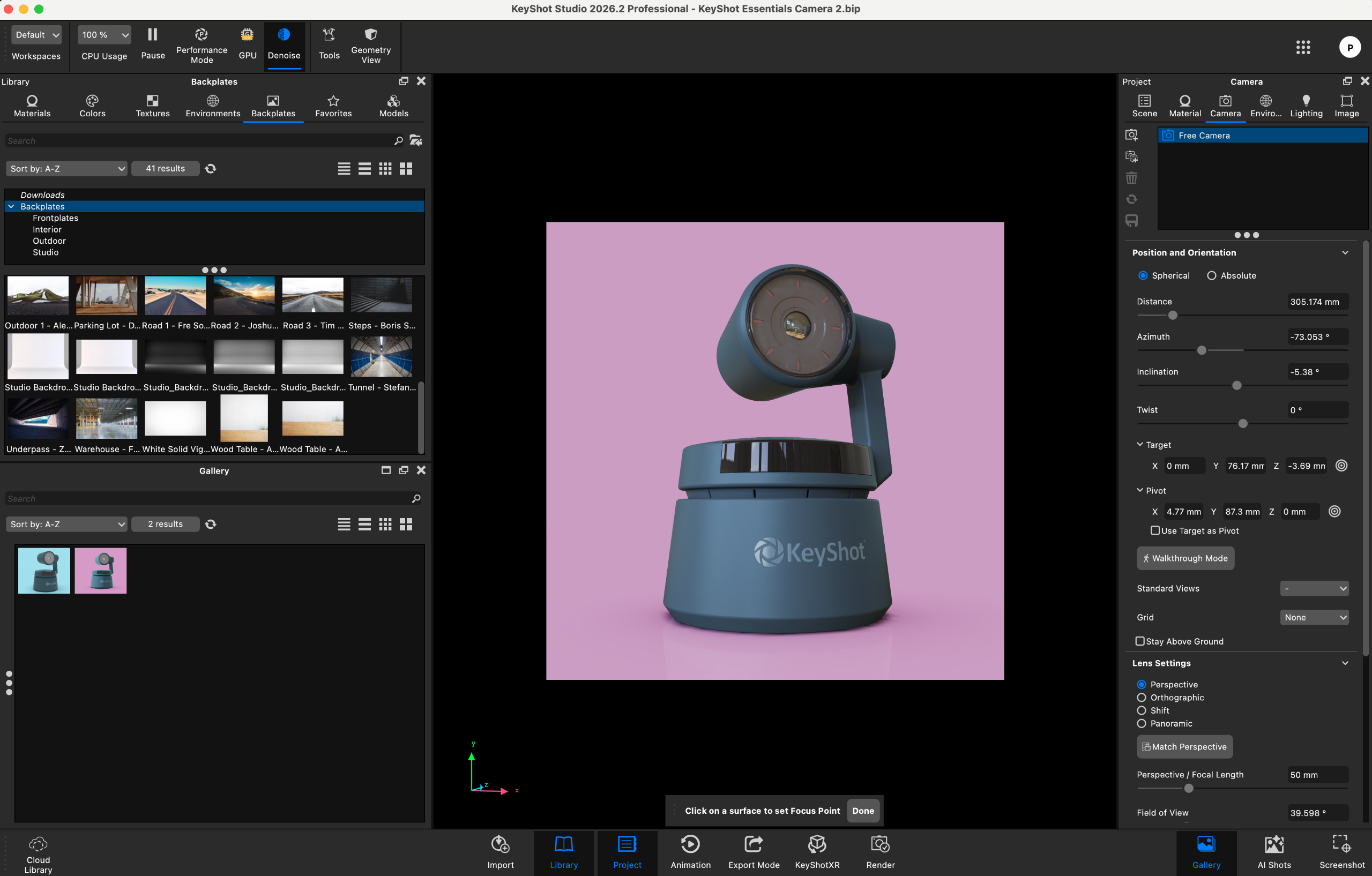
Perhaps the most practical addition to the AI Shots toolkit is the new upscaling feature. This utility allows artists to double or even quadruple the resolution of both traditional 3D renders and AI-generated images in a fraction of the time it would take to perform a standard high-resolution render from scratch. This workflow proves to be far more efficient than generating an initial AI shot at a lower resolution and relying on external upscaling software, saving valuable computing power and keeping the entire creative process inside KeyShot.
Beyond the headline-grabbing AI updates, KeyShot 2026 introduces critical quality-of-life improvements to its core geometric manipulation tools. The upgraded Custom Pivot + Move Tool is a prime example. Users can now assign multiple custom pivots to individual parts or grouped components in a scene, moving beyond the standard origin and center points. To keep complex scenes organized, these custom pivots can be individually named and saved directly within the scene file.
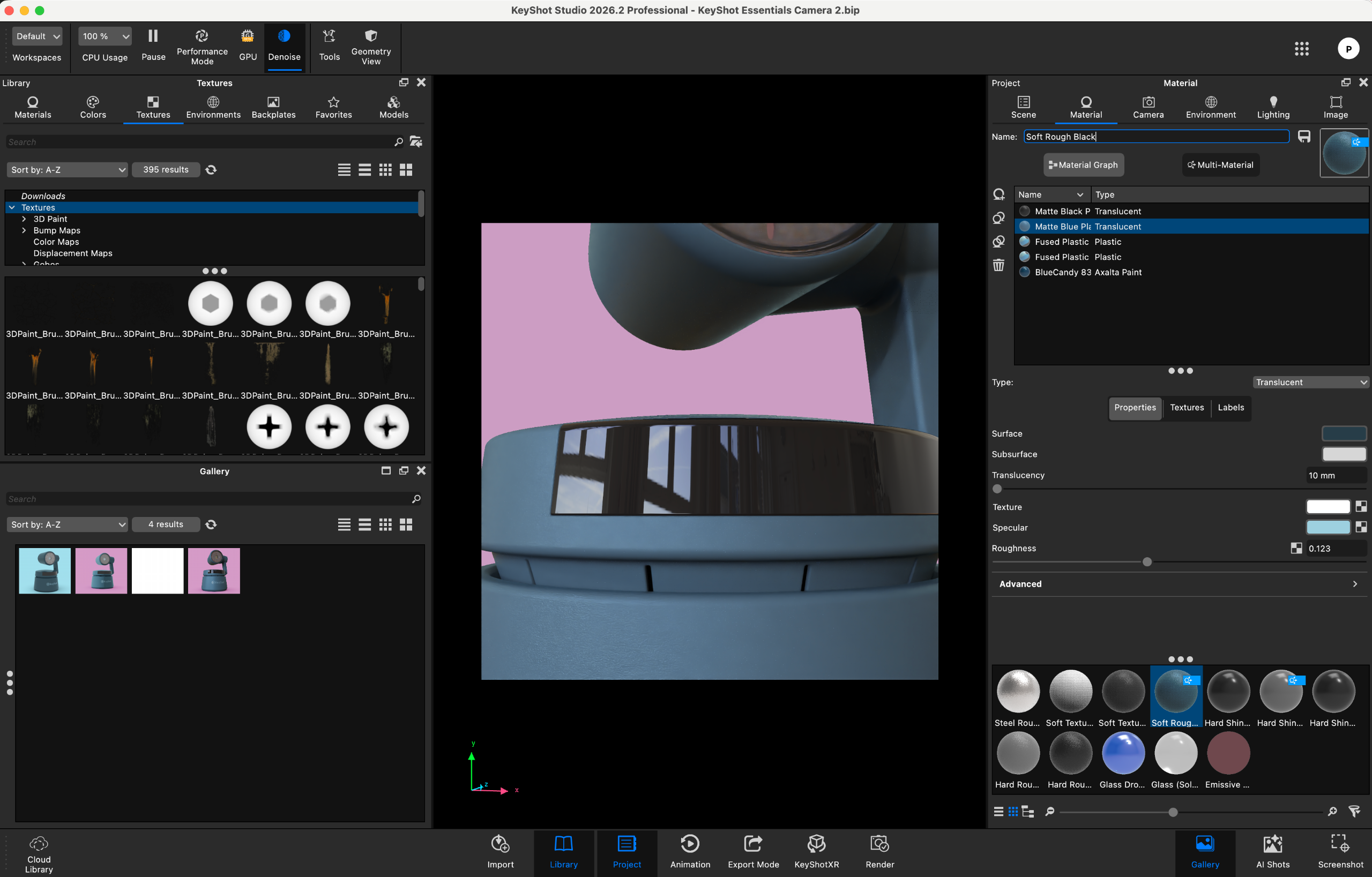
Additionally, the move tool’s gizmo has been completely synchronized between the real-time viewport and the geometry view. Previously, navigating and manipulating objects across these two distinct views could be confusing due to mismatched visual behaviors. This synchronization streamlines the spatial workflow, making it far more straightforward to manipulate complex assemblies while viewing real-time lighting changes simultaneously.
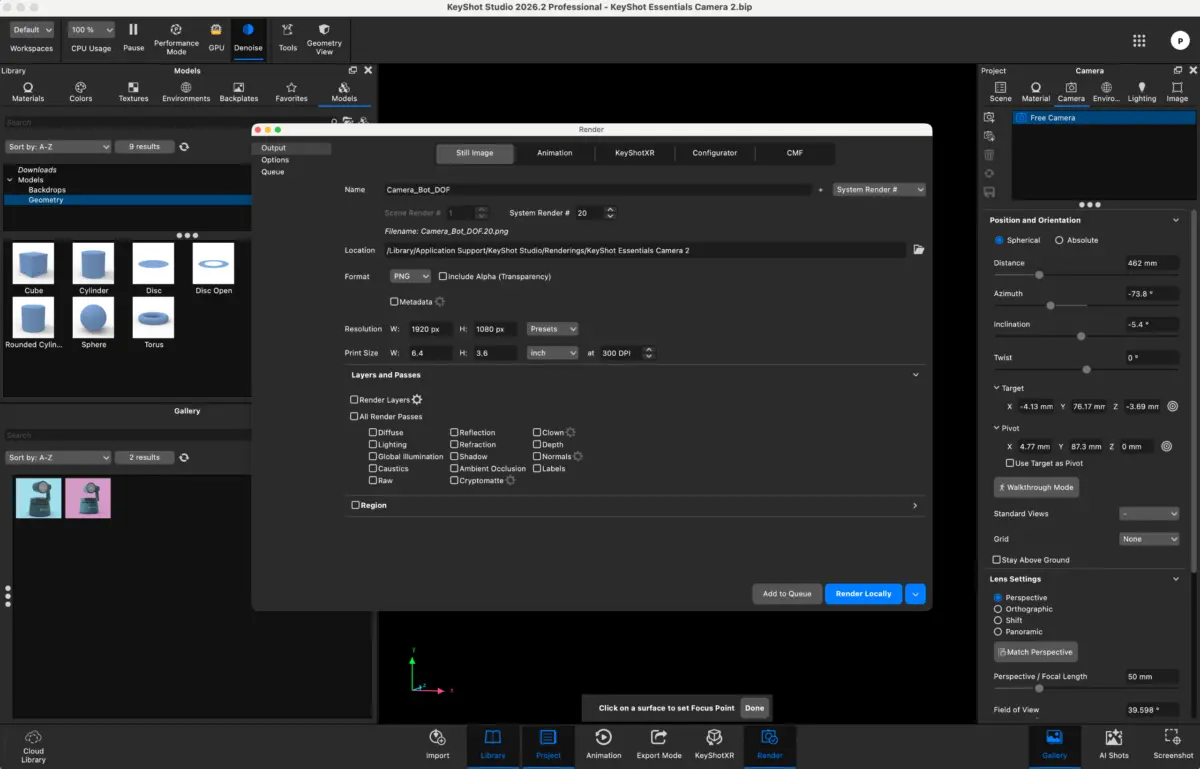
Finally, the release introduces a highly requested organizational feature: the Gallery window. Designed to be far more than a simple file viewer, the Gallery is a dedicated workspace that allows users to quickly locate, search, sort, and organize their completed render outputs. It provides an intuitive, centralized hub that eliminates the need to manually dig through local system directories to find finished files, greatly improving post-render asset management.
These primary features are bolstered by broader platform enhancements, including easier keyframe animation tools and faster overall animation support, ensuring that motion design remains as smooth and accessible as static image creation.
Features Score: 4.5/5
KeyShot 2026: user interface and experience
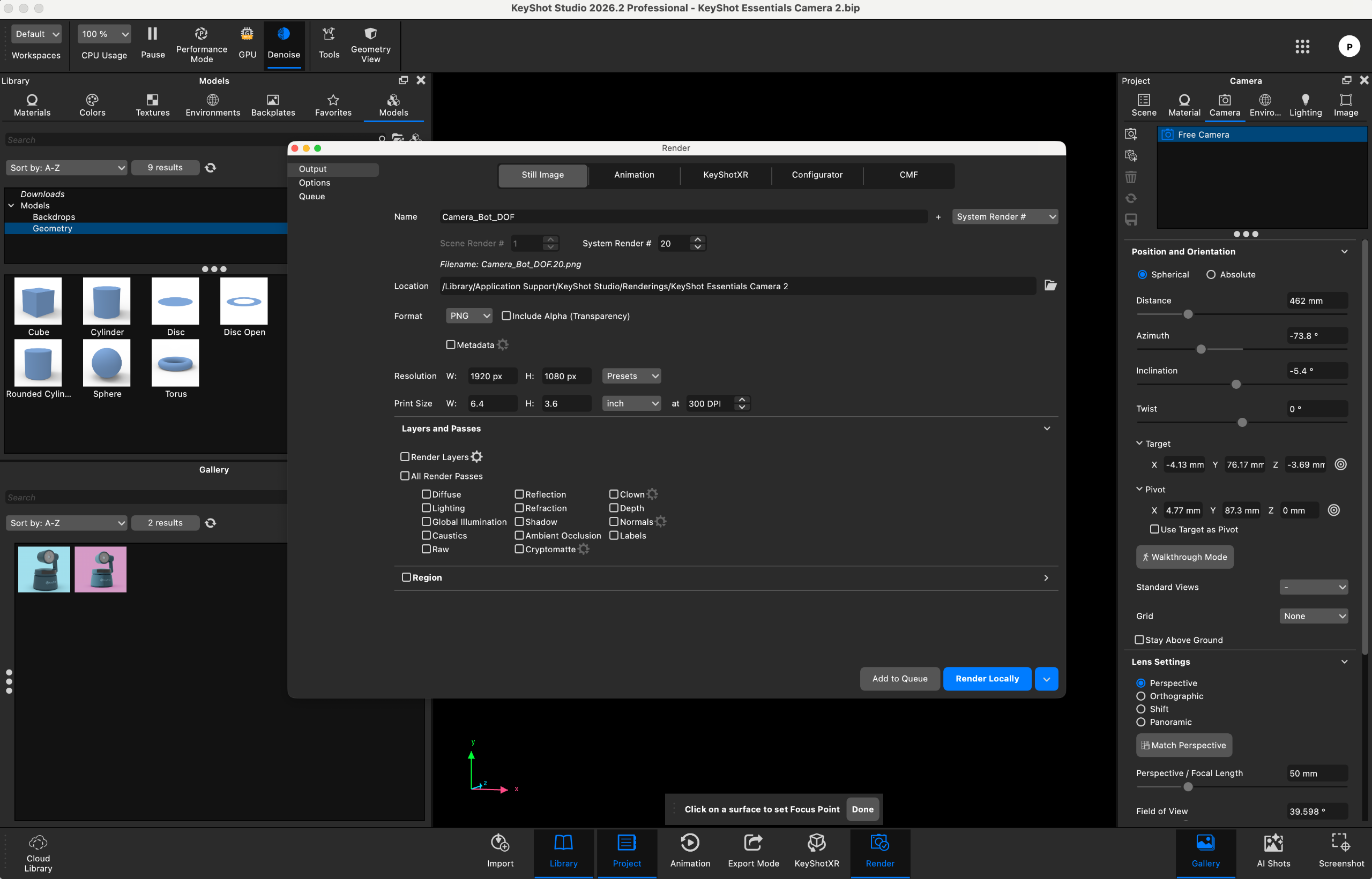
One of KeyShot’s greatest strengths has always been its incredibly low barrier to entry, and KeyShot 2026 continues this legacy. Creating professional product visualizations in the software is an absolute breeze, even for those who may find other 3D applications intimidating. The user interface is clean, logical, and highly accessible, with materials, lighting presets, camera controls, and environmental settings neatly organized into dedicated, easy-to-navigate panels. Finding specific parameters or adjusting material properties takes virtually no effort, and because the viewport displays changes instantly via the real-time rendering engine, artists can continuously tweak their scenes until they achieve the perfect look.
The workflow associated with setting up studio lighting is particularly satisfying. Users can effortlessly cycle through different high-dynamic-range (HDR) lighting environments, watching in real time how the light wraps around the contours of their 3D models and catches subtle reflections. KeyShot’s local and cloud libraries are packed with high-quality materials and lighting environments, allowing users to rapidly transform raw CAD files into stunning, photorealistic marketing assets. Once the basic scene is set up, applying professional post-processing effects—such as denoising, image sharpening, and lens bloom—is entirely straightforward.
To experience the new AI features firsthand, the software was tested on a MacBook Pro configured with 16GB of unified RAM. While this hardware configuration falls below KeyShot’s recommended specification of 32GB of RAM, it represents a very common setup for many working freelancers and mobile professionals.
Before diving into AI Shots, users must download nearly 20GB of local AI data assets. This is a critical consideration for those with limited local storage or slower internet connections, and it is worth verifying your hardware capacity before committing to KeyShot’s AI ecosystem.
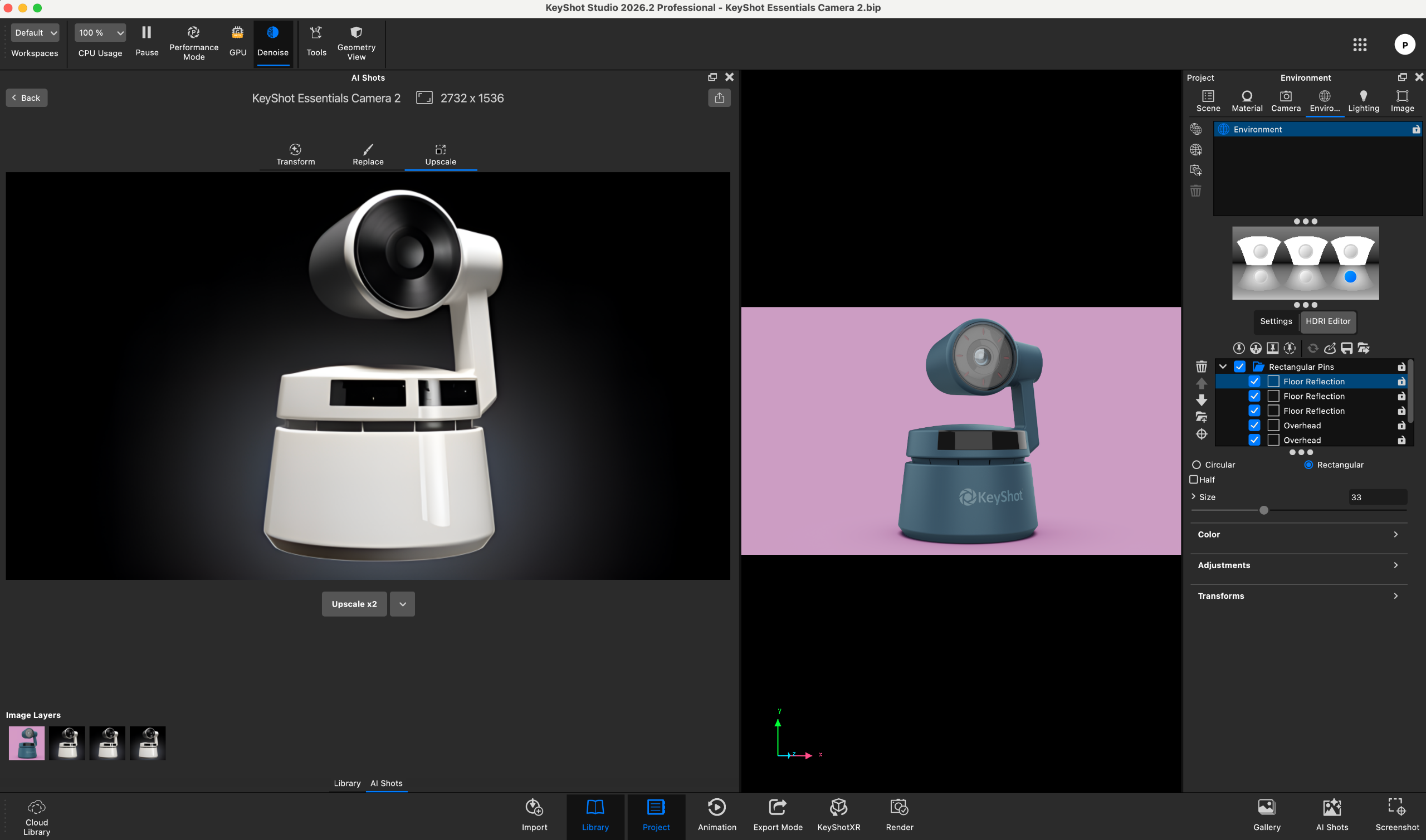
During practical testing, the AI Shots toolset proved to be remarkably stable. Core operations, including generative image creation, resolution upscaling, and element replacement, executed without a single crash or system hang, and the progress indicators remained accurate throughout. However, the hardware limitations of the 16GB MacBook Pro did impact processing speeds, with some complex prompts taking upwards of five minutes to fully generate. Additionally, while the generative AI tool is a highly capable companion for brainstorming and creative exploration, it remains subject to the typical limitations of modern AI models, occasionally misinterpreting complex prompts or failing to perfectly recreate highly specific textual instructions.
User Experience Score: 4.5/5
KeyShot 2026: who is it for?
KeyShot is designed almost exclusively for the specialized field of product visualization. It offers a beautifully streamlined, highly focused workflow tailored to 3D artists, industrial designers, packaging specialists, and in-house creative teams who need to generate gorgeous, photorealistic imagery of manufactured goods.
While KeyShot is technically capable of importing and rendering a wide variety of 3D data, its optimized toolset begins to show its limitations if pushed into other creative industries. Visual effects artists working in film, environment designers in the gaming sector, or architects rendering massive structural scenes will find that KeyShot lacks the specific tools required for those disciplines. For those complex workflows, dedicated, generalized rendering engines like V-Ray or Cycles (integrated within Blender) remain the industry standards. However, for dedicated product design, KeyShot 2026 is arguably the most efficient and user-friendly solution available today.
Buy it if…
- You specialize in product design and visualization: The software is tailor-made to turn CAD models into gorgeous, photorealistic marketing assets with unmatched speed and ease.
- You want to integrate local generative AI into your workflow: The upgraded AI Shots tool allows you to generate design variations, edit assets, and upscale images locally without leaving your 3D workspace.
- You value an intuitive, real-time creative process: The clean interface, synchronized gizmos, and instant viewport feedback make KeyShot incredibly easy to master and highly satisfying to use.
Don’t buy it if…
- You work primarily in film, gaming, or architecture: The software is highly optimized for product renders and will feel limited if pushed to handle massive environments, complex character rigs, or visual effects.
- You are on a tight budget with minimal rendering needs: The annual subscription fee represents a significant financial commitment that may be difficult to justify for casual or occasional users.
- You lack the local storage or system memory to run advanced AI tools: With a mandatory 20GB download for AI data and a recommended system memory of 32GB RAM, the generative features require a modern, high-performance workstation to run efficiently.