With the release of Firefox 151, Mozilla has officially shipped support for the Document Picture-in-Picture API. The capability marks a notable evolution in browser pop-out functionalities, moving beyond the traditional constraints of standard web media playback.
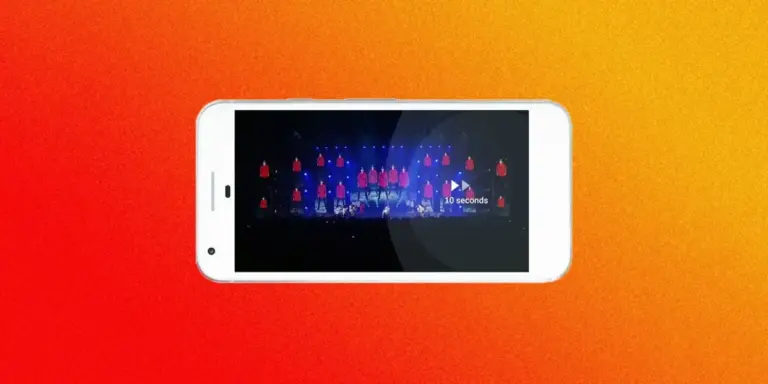
For several years, browser vendors have offered a standard Picture-in-Picture (PiP) API. That original API served a specific, narrow purpose: extracting HTML <video> elements from a web page and floating them inside a resizable, borderless window. This media window remains pinned on top of other screen elements, continuing to stream video even as users switch between open browser tabs or switch to entirely separate operating system applications.
The Document Picture-in-Picture (DPIP) API fundamentally expands this construct. Rather than restricting pop-out windows to isolated media feeds, the DPIP API allows web developers to render virtually any HTML, CSS, and JavaScript content inside an independent floating window.
This transformation opens the door for developers to construct dedicated web widgets—compact, persistent micro-interfaces designed to remain visible during multi-tasking desktop workflows. Practical use cases include floating financial stock tickers, real-time customer support chat windows, persistent media playlists, task management to-do lists, quick-access scratchpads, or mini live spreadsheets that require constant visibility across multiple desktop workspaces.
At its core, working with the DPIP API involves instantiating an independent Document Picture-in-Picture window context and programmatically populating it with HTML nodes, stylesheet references, and script behavior. While the underlying concept is straightforward, implementing interactive elements—such as cloning a live stock ticker component from a primary browser window into an auxiliary DPIP container—introduces technical considerations around feature detection, window lifecycle management, DOM performance, and CSS contextual styling.
Furthermore, developers looking to implement this feature must account for specific platform restrictions. The Document Picture-in-Picture API is designed strictly as a desktop-only interface. It also operates under security restrictions that prevent it from executing within nested browsing contexts, meaning the API will not function inside embedded sandboxes like <iframe> elements (such as those used in online code playgrounds) and must instead be initialized from a top-level document context. Additionally, browser support currently varies across major engines: while Chrome and Firefox provide support, Apple’s Safari has not yet implemented the standard DPIP API in its stable releases.
The JavaScript of it all
Because browser availability remains mixed, implementing the Document Picture-in-Picture API requires effective feature detection before attempting to instantiate pop-out windows.
Ideally, web platform standards would allow developers to query media support directly within CSS using feature queries, such as evaluating @supports at-rule(@media; display-mode: picture-in-picture). However, native support for evaluating at-rules within CSS @supports blocks remains severely constrained across current layout engines. While Google Chrome implemented early parsing capabilities for the at-rule() function, industry plans to support prelude queries like (display-mode: picture-in-picture) inside feature queries have largely been stalled or abandoned.
Recent release notes reveal minor movement in this space—Safari Technology Preview 251 noted preliminary support for at-rule detection in @supports, and Firefox 155 previewed related at-rule capabilities—but broad cross-browser CSS-based detection remains unavailable for production code.
Consequently, developers must rely on JavaScript to query the availability of the documentPictureInPicture property on the global window object. If the API is unsupported, web applications can gracefully degrade by hiding or removing corresponding UI controls. If supported, event listeners can be attached to trigger window creation.
if (!("documentPictureInPicture" in window))
  /* DPIP not supported (remove button) */
  document.querySelector("button").remove();
 else
  /* DPIP supported (listen for button click) */
  document.querySelector("button").addEventListener("click", async () =>
    /* ... */
  );
When managing the lifecycle of a DPIP window, developers must also decide how user interactions with trigger controls should be handled if a pop-out window is already active. By default, opening a new DPIP window automatically replaces an existing one created by the same origin. However, if a user clicks an existing pop-out button a second time, application logic can explicitly close the current floating window, effectively turning the button into a toggle control:
document.querySelector("button").addEventListener("click", async () =>
  /* If the DPIP window is open, close it */
  if (window.documentPictureInPicture.window)
    window.documentPictureInPicture.window.close();

);
In practice, implementing a simple toggle pattern can introduce minor UX quirks. Because focus automatically shifts to the newly created DPIP window upon launch, toggling the window closed from the main document may require multiple explicit user clicks to return window focus. While developers could clone control buttons directly into the floating window itself, the native browser window framing for DPIP already includes a built-in "Close" control, rendering redundant internal close controls unnecessary.
An alternative strategy is to allow subsequent action clicks to simply recreate the pop-out window. This approach resets the window to its initial default dimensions and placement parameters if the user had previously moved or resized the floating window.
To instantiate the pop-out window, developers call the asynchronous requestWindow() method on the window.documentPictureInPicture interface. This method accepts an options object defining dimensions and window management flags:
/* Create the DPIP window */
const DPIP = await window.documentPictureInPicture.requestWindow(
  width: 600,
  height: 400,
  preferInitialWindowPlacement: true
);
The configuration parameters dictate critical layout behaviors:
widthandheight: Explicitly set the initial pixel dimensions of the pop-out window. Neither property can be supplied in isolation; developers must either explicitly specify both values or omit both to allow the host browser to select default fallback dimensions.preferInitialWindowPlacement: When set totrue, this option instructs the browser not to persist or reuse the user’s previously cached window position or dimensions, ensuring the window opens at its developer-defined placement.disallowReturnToOpener: Although omitted in basic implementations, setting this boolean flag totruehides the native browser button that allows users to seamlessly switch focus back to the originating browser tab.
Because requestWindow() returns a Promise, asynchronous handling (async/await) ensures that application code can prepare and populate the window DOM immediately as the interface constructs.
Populating the floating window requires copying target elements from the main application document into the newly created DPIP document context. A simple single-element clone can be accomplished using standard DOM manipulation:
/* Select the component */
const stock = document.querySelector("#stock");

/* Clone the component and append it to the DPIP <body> */
DPIP.document.body.append(stock.cloneNode(true));
However, web components rarely exist in isolation without styling rules or associated scripts. To transfer all necessary dependencies—such as internal <style> blocks and external <link rel="stylesheet"> resources—developers can batch DOM manipulations using off-screen document fragments.
Using document.createDocumentFragment() allows developers to collect cloned node trees in memory before performing a single append operation into the DPIP document’s <head>. This prevents multiple DOM layout triggers and optimizes browser reflow performance.
/* Select all <style>s and <link rel=stylesheet>s */
const styles = document.querySelectorAll("style, [rel=stylesheet]");

/* Create a document fragment */
const documentFragment = document.createDocumentFragment();

/* Clone the styles and append them to the DPIP <head> */
styles.forEach((element) =>
  documentFragment.append(element.cloneNode(true))
);

/* Append the document fragment to the DPIP <head> */
DPIP.document.head.append(documentFragment);
Combining these components yields a full operational JavaScript baseline for querying support, instantiating the window, cloning required visual elements, and executing optimized stylesheet injections:
if (!("documentPictureInPicture" in window))
  /* DPIP not supported (remove button) */
  document.querySelector("button").remove();
 else
  /* DPIP supported (listen for button click) */
  document.querySelector("button").addEventListener("click", async () =>
    /* Create the DPIP window */
    const DPIP = await window.documentPictureInPicture.requestWindow(
      width: 600,
      height: 400,
      preferInitialWindowPlacement: true
    );

    /* Select the component */
    const stock = document.querySelector("#stock");

    /* Clone the component and append it to the DPIP <body> */
    DPIP.document.body.append(stock.cloneNode(true));

    /* Select all <style>s and <link rel=stylesheet>s */
    const styles = document.querySelectorAll("style, [rel=stylesheet]");

    /* Create a document fragment */
    const documentFragment = document.createDocumentFragment();

    /* Clone the styles and append them to the DPIP <head> */
    styles.forEach((element) =>
      documentFragment.append(element.cloneNode(true))
    );

    /* Append the document fragment to the DPIP <head> */
    DPIP.document.head.append(documentFragment);
  );
Handling the CSS
When extracting HTML fragments out of their original main-document hierarchy and injecting them into an isolated DPIP window, existing stylesheet rules can easily break if selectors rely on parent containers or overly specific context chains that no longer exist in the pop-out window.
To resolve contextual layout conflicts, developers can write targeted responsive styles using the display-mode media query. By checking for (display-mode: picture-in-picture), CSS declarations can conditionally adjust dimensions, borders, and layouts specifically when a component renders inside a DPIP document context:
#stock
  width: fit-content;
  border-radius: 0.7rem;

  @media (display-mode: picture-in-picture)
    width: 100%;
    height: 100%;
    border-top-left-radius: 0;
    border-top-right-radius: 0;
Developers should note an important technical distinction between media queries and pseudo-classes: the CSS pseudo-class :picture-in-picture applies strictly to video elements operating under the legacy video Picture-in-Picture API. It does not match standard DOM elements rendered inside a Document Picture-in-Picture window. Target styles for arbitrary DPIP content must rely on @media (display-mode: picture-in-picture).
Wrapping up
The API specification also includes lifecycle events, such as the enter event dispatched directly to the documentPictureInPicture object when a floating document window successfully opens:
documentPictureInPicture.addEventListener("enter", (event) =>
  /* DPIP window opened */
);
As with CSS distinctions, this enter event is distinct from the enterpictureinpicture event used by video elements in the traditional media PiP API.
While the Document Picture-in-Picture API remains relatively small and focused in its surface area, its introduction to Firefox 151 significantly expands multi-window web application capabilities. By offering a standardized mechanism to detach rich interface components from primary browser tabs, the web platform gains powerful new capabilities for desktop productivity widgets and continuous monitoring tools.