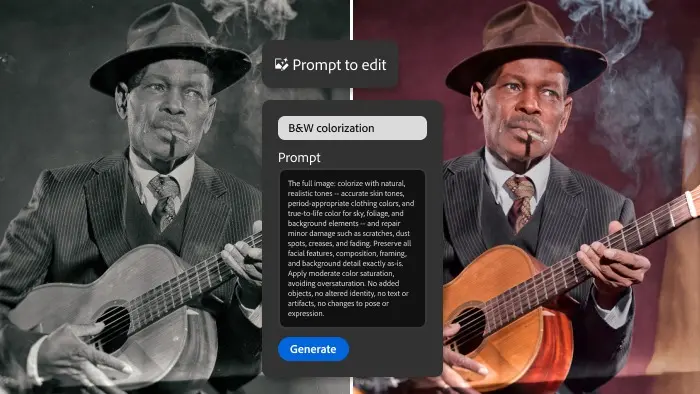
Adobe has officially integrated Google’s viral generative artificial intelligence platform, Nano Banana, into its flagship ecosystem, marking a significant evolution in digital photography workflows. Released as part of an early public access beta on September 29, the newly introduced "Prompt to Edit" tool inside Adobe Lightroom allows photographers to manipulate and transform their images using written text prompts and advanced generative AI models.
The feature represents a departure from traditional slider-based adjustments, which have long formed the bedrock of digital darkroom software. Rather than manually tweaking exposure, contrast, highlights, or shadows to achieve a specific look, users can now type descriptive phrases into a dedicated sidebar space to alter their photographs. According to demonstrations provided by Adobe during the launch, utilizing the Prompt to Edit tool results in the entire photo being regenerated rather than incrementally adjusted. The underlying technology driving these modifications is Nano Banana 2, the latest iteration of Google’s image generation architecture.
How Prompt to Edit Operates Within Lightroom
The integration has been designed with a specific workspace dedicated to conversational photo manipulation. Located within a new sidebar section on desktop versions of Lightroom, the tool provides immediate guidance for users who may be experimenting with text-to-image workflows for the first time. At the top of the dedicated panel, Lightroom displays a curated list of suggested prompts designed to spark creativity and demonstrate the capabilities of the system.
When a user clicks on one of these sample suggestions, the prompt box automatically populates with the pre-written text. This mechanism serves a dual purpose, allowing for instant testing while simultaneously offering structural hints on how to formulate effective prompts for custom edits. Photographers are not limited to the suggestions, however, and can write, refine, and test their own unique descriptions from scratch.
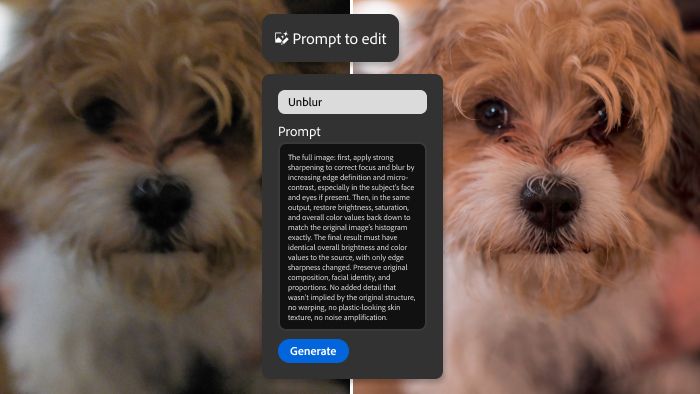
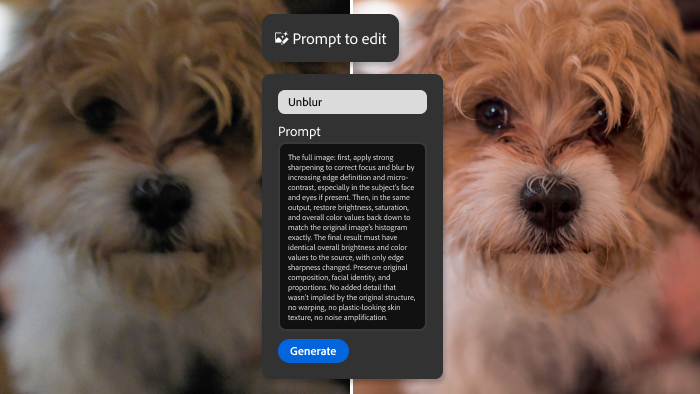
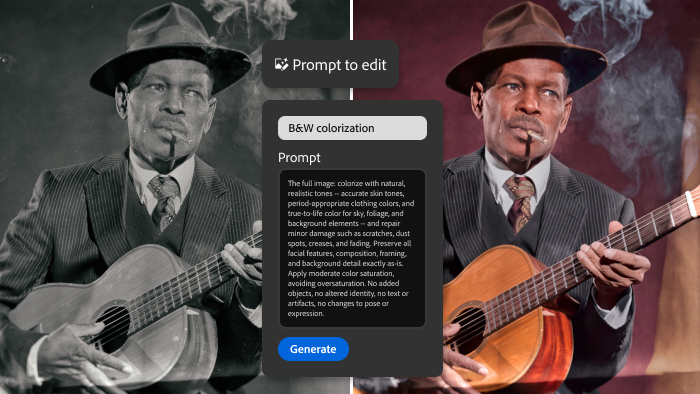
Adobe’s initial demonstrations highlighted the versatile nature of the beta tool across various genres of photography. In one scenario, the generative AI was deployed to meticulously clean up an archive piece by removing dust, scratches, and signs of physical degradation from an old photograph. In another demonstration, the system successfully recolored a historical black-and-white image. Beyond restoration tasks, the software demonstrated the capacity to execute more dramatic creative interventions, such as dynamically replacing an overcast sky or seamlessly introducing realistic fog and atmospheric depth into a landscape scene.
Workflow Integration and System Mechanics
For photographers accustomed to establishing a signature style, the new feature incorporates familiar workflow habits. Similar to creating and saving custom presets in Lightroom, users have the ability to save their successful text prompts so they can be easily reapplied across multiple images within a catalog.
When a prompt is executed, the newly generated image is automatically saved in a stacked arrangement directly alongside the original capture. This ensures that the source file remains untouched while giving creators the flexibility to further refine the AI-generated output using Lightroom’s extensive suite of traditional editing tools, masks, and adjustment brushes.
Like other advanced AI features within the Creative Cloud ecosystem, Prompt to Edit consumes Adobe’s generative credits when processing requests. However, Adobe did not specify the exact credit consumption rate per generation during the initial rollout of the beta phase.
Contrasting Approaches: Nano Banana Versus Adobe Firefly
The arrival of Prompt to Edit in Lightroom follows closely on the heels of Photoshop’s recently launched AI Assistant. While both tools leverage generative artificial intelligence to streamline creative workflows, notable differences exist in their underlying architecture and functional scope. Photoshop’s AI Assistant is capable of executing traditional, precise edits alongside generative alterations, whereas the Lightroom beta tool is specifically tailored around text-driven regeneration.
Another fundamental distinction lies in the AI models powering the respective platforms. Photoshop’s AI-assisted editor relies on Adobe Firefly, a proprietary generative AI model trained explicitly on licensed stock imagery and public domain content, which has been positioned as a commercially safer choice for professional creators concerned about copyright compliance.
In contrast, the new Lightroom feature utilizes Google’s Nano Banana 2 technology. While Google has not publicly disclosed the exact composition of the training dataset used to build the original Nano Banana platform, Nano Banana 2 possesses the technical capability to pull and reference active images from a Google Search during the image generation process. This third-party integration signals a strategic shift for Adobe as it experiments with incorporating external AI technologies alongside its proprietary systems.
Broader Updates in the Lightroom Ecosystem
Prompt to Edit is currently classified as an early access tool—Adobe’s internal designation for beta features that are actively undergoing testing and refinement—and is available exclusively for desktop versions of the software.
The broader September update for Lightroom, which introduced the generative AI tool, also brings functional improvements to existing features, including the Reflection Removal tool designed to eliminate unwanted glare and reflections from glass and water surfaces without the mandatory use of physical polarizing filters. Additionally, the update delivers native software support for a wave of newly announced camera bodies and lenses from major manufacturers, ensuring that professionals upgrading their gear can immediately ingest and process RAW files within their standard workflows.