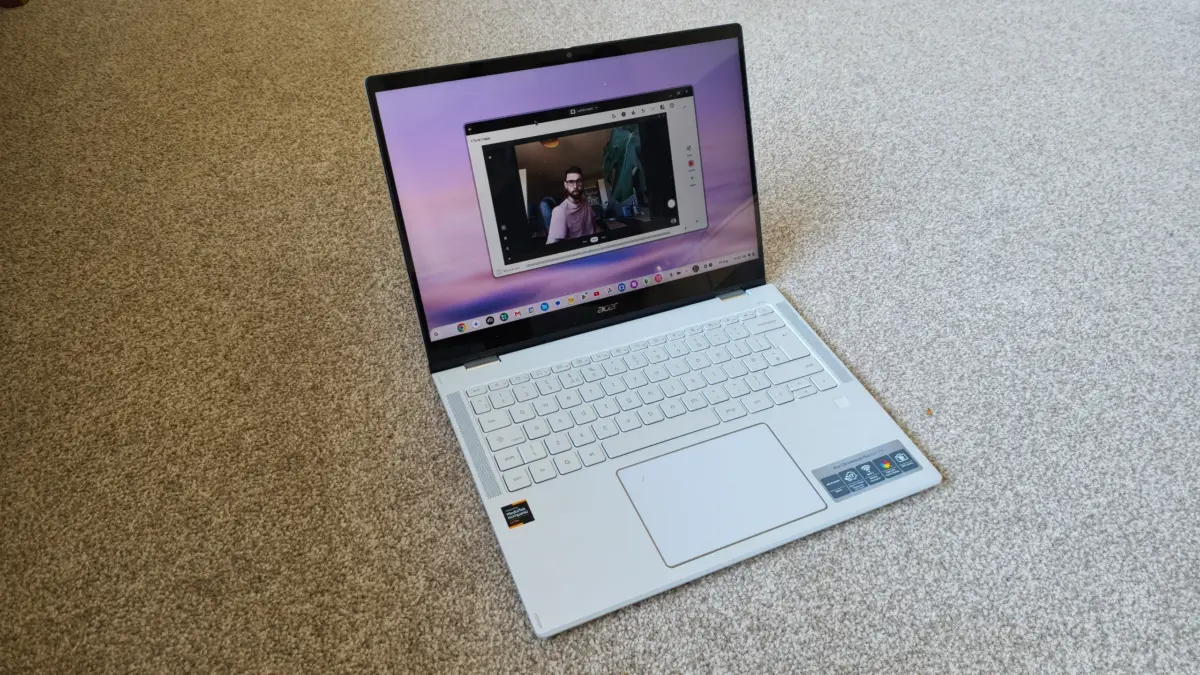
For years, creative professionals have maintained a highly skeptical relationship with Chromebooks. While these devices have long been celebrated for their affordability, simplicity, and convenience in classroom and basic office environments, they have traditionally fallen short when subjected to the demanding workloads of serious creative projects. Photographers, videographers, and digital artists require robust processing power, high-fidelity displays, and a seamless software ecosystem—demands that the lightweight, browser-centric ChromeOS historically struggled to meet. This disparity has naturally led many to wonder whether a Chromebook could ever find a legitimate home in a professional creative’s toolkit, or if the entire category was destined to remain an entry-level option for casual users.
This ongoing tension between convenience and capability is precisely what makes the Acer Chromebook Plus Spin 514 such an intriguing development. For those who have spent years navigating a love-hate relationship with the platform, the arrival of this device represents a significant turning point. Indeed, it has been described as the very Chromebook that some observers have spent the last five years waiting for. This sentiment comes at a time when the broader utility of convertible devices was being openly questioned, with industry analysts and users alike wondering whether the 2-in-1 laptop format was effectively dead, or if there was still time for a meaningful comeback.
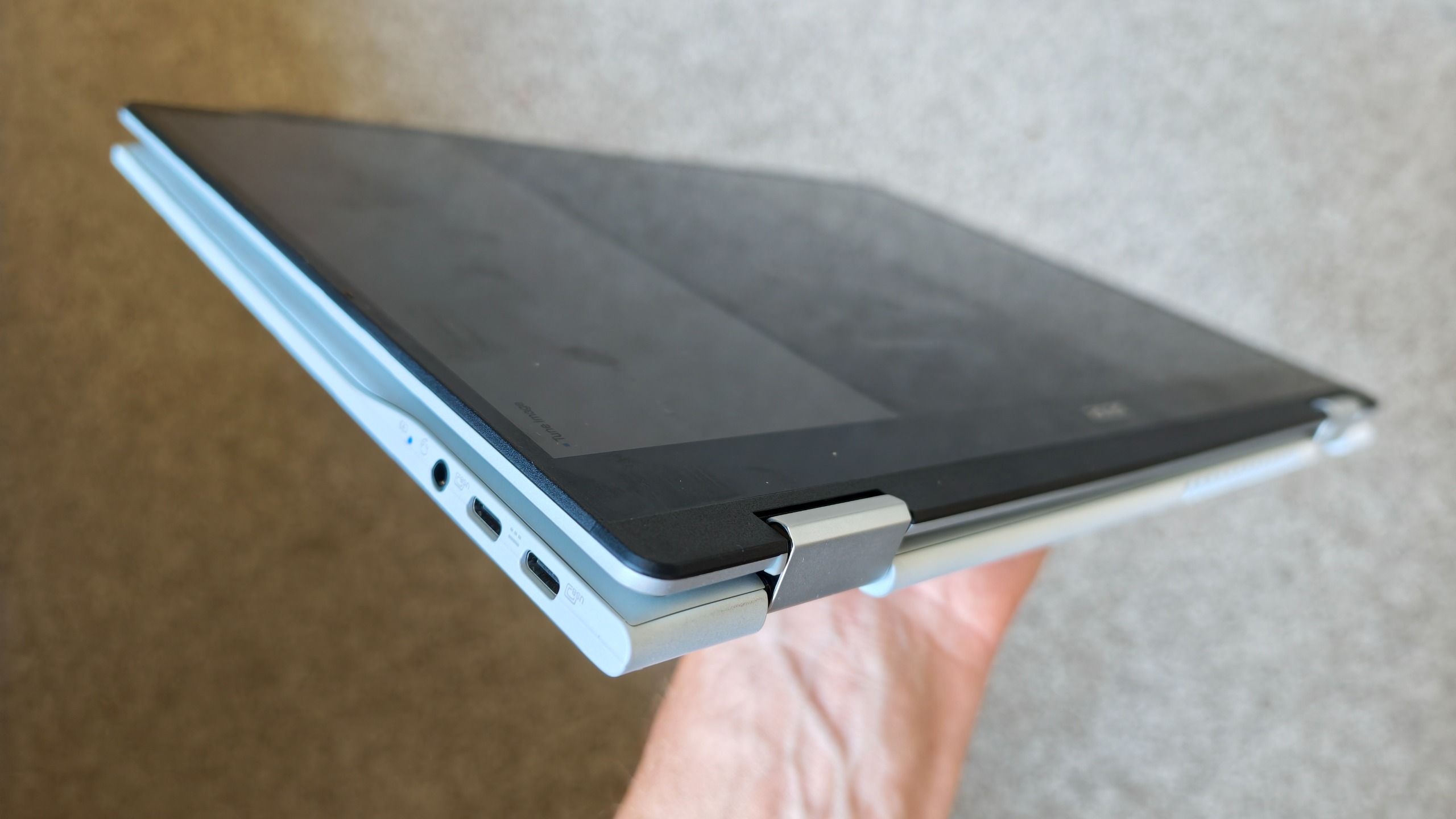
Initially, unboxing a new 14-inch Chromebook might not inspire a great deal of enthusiasm, particularly for professionals accustomed to high-powered workstations. The market is saturated with mid-range laptops that offer competent but ultimately uninspiring performance. However, firsthand experience with the Acer Chromebook Plus Spin 514 quickly transforms that initial apathy into genuine excitement. The realization that this is not merely a standard 14-inch laptop, but a device that effortlessly doubles as a massive 14-inch tablet, completely changes the user dynamic and opens up new possibilities for mobile productivity.
The true value of this hybrid design becomes apparent when integrating the device into an active creative workflow. For tasks such as sorting through raw media, executing quick photo edits, and compiling video footage, the hardware excels in ways that traditional laptops cannot. In practice, a creator can quickly transfer and load up media immediately after a shoot, utilizing the device’s responsive interface to organize files and begin the editing process. The transition from local editing to cloud-based storage is remarkably smooth, allowing for a seamless workflow where data is effortlessly backed up and synchronized across platforms. This capability bridges the gap between field work and the studio, ensuring that assets are secure and accessible at all times.
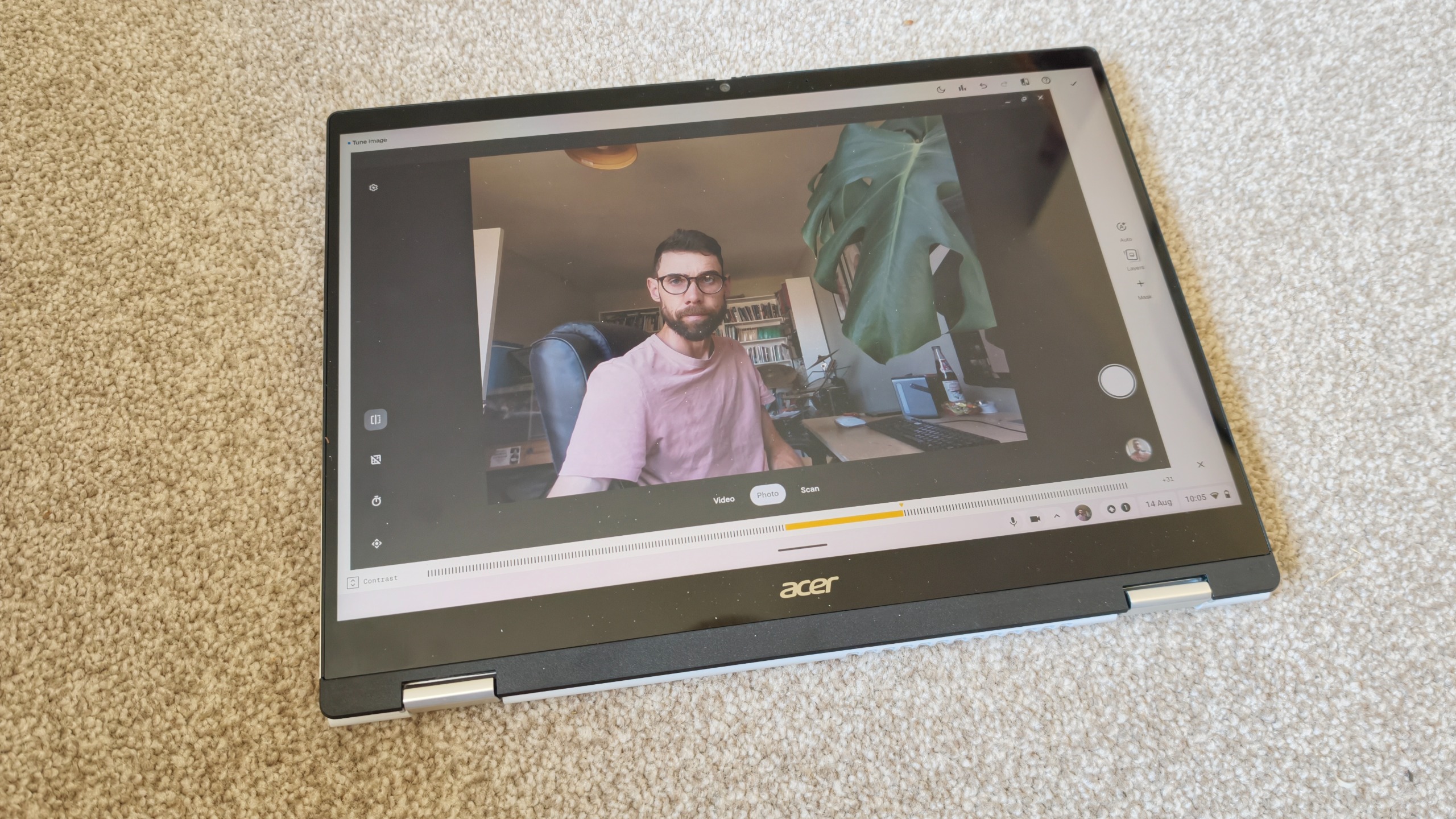
While these tasks could technically be accomplished in standard laptop mode, the ability to transform the device into a tablet with full touch controls is what truly elevates the experience. There is a distinct ergonomic advantage to interacting directly with digital media using your fingers or a stylus. Simple editing tasks, such as masking a photo or trimming a video timeline, often feel far more intuitive and precise when executed via touch rather than with a traditional mouse or trackpad. This tactile connection to the work makes the creative process feel more organic and less constrained by traditional computing interfaces.
To appreciate the uniqueness of a 14-inch tablet, one must consider the current state of the tablet market. The vast majority of dedicated tablets owned by consumers are relatively small, typically measuring around 11 inches or less. Even premium, high-end options like the iPad Pro or iPad Air generally top out at 13 inches, while budget-conscious alternatives can be as small as 7 inches. Consequently, very few people actually own or have experienced a 14-inch tablet. This larger form factor provides an expansive digital canvas that drastically alters how content is viewed and manipulated.
The display itself is a standout feature of the Acer Chromebook Plus Spin 514, boasting a crisp 2.8K resolution that brings fine details to life. This high resolution is paired with a 16:10 aspect ratio, which offers more vertical screen real estate than standard widescreen formats. This extra vertical space is highly beneficial for reading long-form content, managing complex application timelines, and viewing documents without constant scrolling. Beyond personal productivity, the large, premium screen serves as an excellent tool for collaborative work. When folded into tablet or tent mode, the device looks incredibly professional and sophisticated, making it ideal for sharing ideas with team members or presenting concepts directly to clients during face-to-face meetings.
The author behind these observations, Paul, brings a wealth of technical and creative expertise to this assessment. With a first-class honors degree in Computer Science and two decades of experience across various technology and creative industries, Paul has established himself as a trusted voice in digital product evaluation. His background is deeply rooted in visual mediums, including photography, videography, and 3D visualization. This specific combination of technical knowledge and creative practice allows him to evaluate devices not just on their raw specifications, but on how effectively they perform in real-world creative scenarios. His insights are informed by a genuine passion for the tools that facilitate visual storytelling, making his perspective particularly relevant for other creators looking to optimize their setups.
It is important to maintain realistic expectations regarding where the Acer Chromebook Plus Spin 514 fits within the broader computing landscape. It is not designed to replace high-end, dedicated workstations, and it is unlikely to find a place on lists of the absolute best laptops for heavy graphic design or intensive 3D modeling. Those demanding tasks still require the immense processing power, dedicated graphics cards, and specialized software ecosystems found on high-end Windows and macOS machines. Attempting to force a Chromebook into those specific roles would misunderstand the purpose of the device.
Instead, the Acer Chromebook Plus Spin 514 finds its true calling as an exceptional companion device. For creative professionals who already own a powerful main workstation, this 2-in-1 Chromebook offers a highly portable, versatile, and intuitive second screen. It excels at handling the lighter, more tactile elements of the creative workflow—such as storyboarding, media ingestion, preliminary photo culling, and client presentations—while remaining light enough to carry anywhere. By offering a premium display, a versatile form factor, and a surprisingly capable operating system, this device successfully demonstrates that there is still a vibrant future for 2-in-1 laptops in the creative world.