Every laptop manufacturer in the modern tech landscape prints "AI" prominently on the retail box, casting a wide net that often leaves consumers wondering what the label actually delivers. For the ASUS ProArt P16 RTX Spark, however, that designation points to a very specific, ambitious capability: running massive artificial intelligence models entirely on local hardware, right at your desk, completely untethered from cloud-based infrastructure. Retailing at a hefty $4,499.99, it stands as one of the very first laptops constructed around NVIDIA’s cutting-edge Arm-based RTX Spark N1X chip, bringing a unique blend of high-end creative performance and localized machine learning horsepower.
ASUS supplied a review unit of the model H7607BA-PB97T, a configuration that pairs the revolutionary chip with a robust 64GB of memory, a speedy 1TB solid-state drive, and a breathtaking 16-inch 4K tandem OLED touchscreen. While our review unit arrived in a sophisticated Neo White finish, ASUS also offers the workstation in an alternative Nano Black colorway. Going into this evaluation, a central question loomed over the hardware: Is this a magnificent laptop that happens to incorporate powerful AI processing, or is it fundamentally an AI machine that has been packaged to function as a laptop? The answer reveals a complex, beautifully crafted device that caters to a very specific type of professional.
Aesthetics and Industrial Design
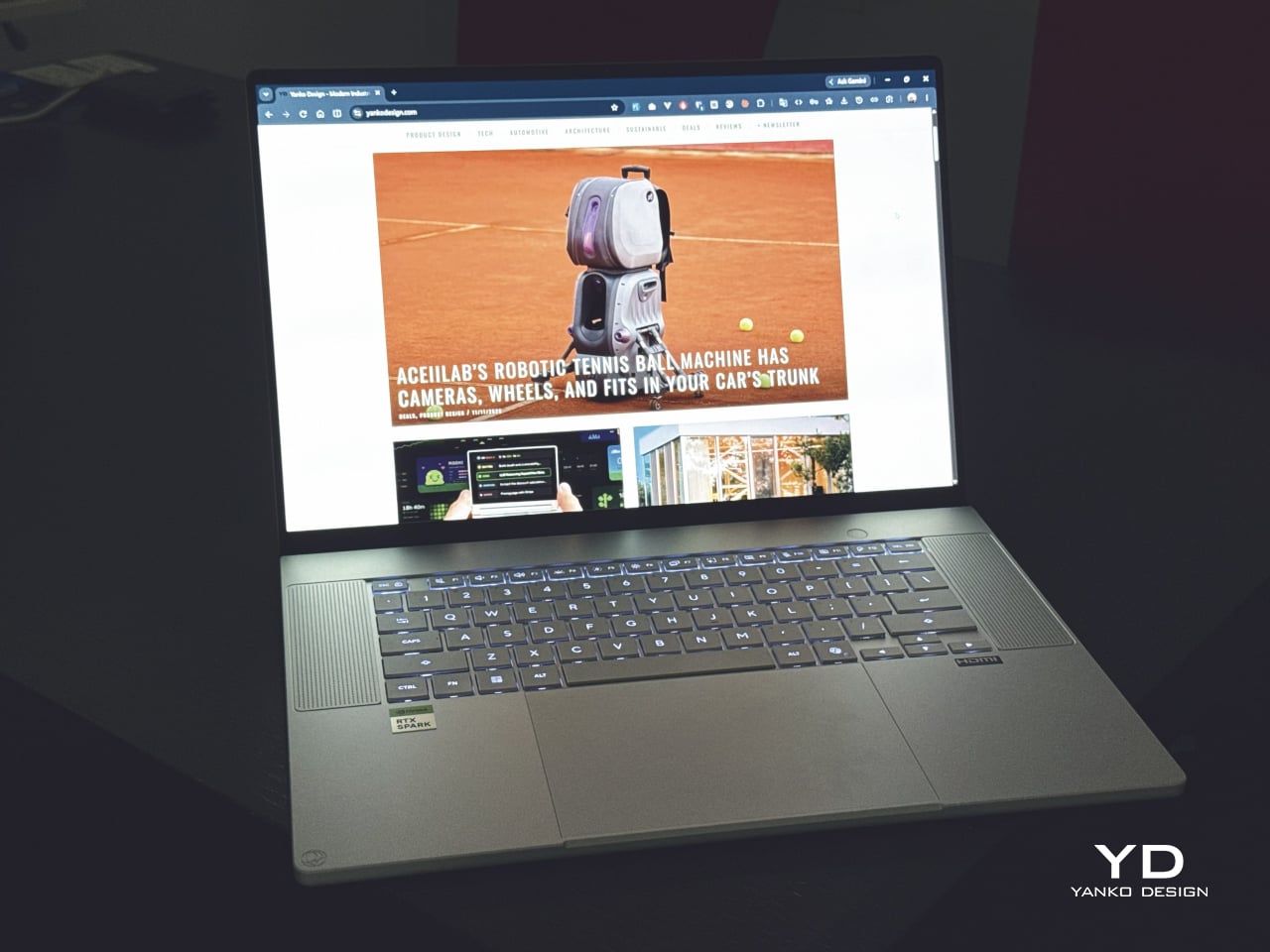
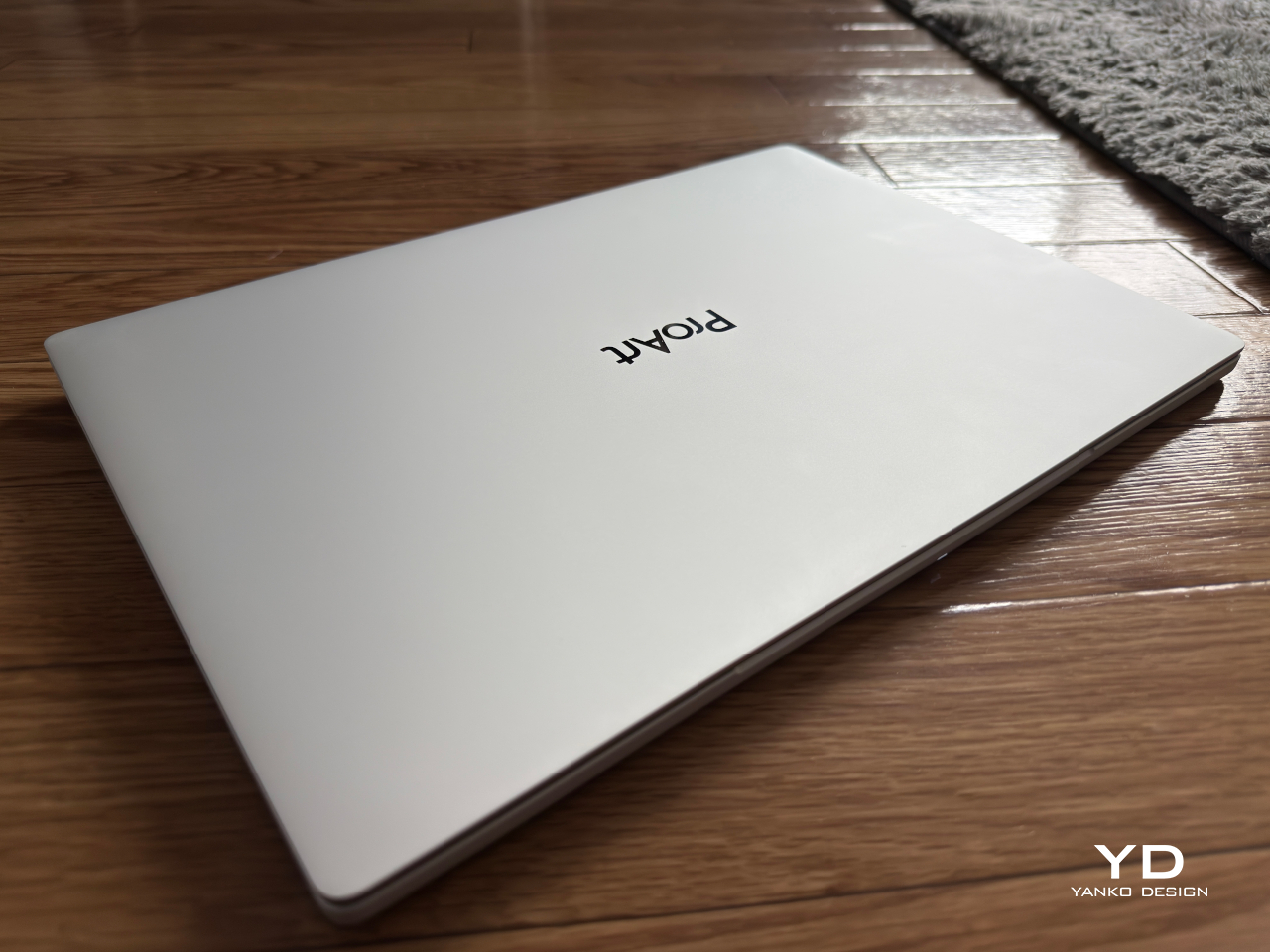
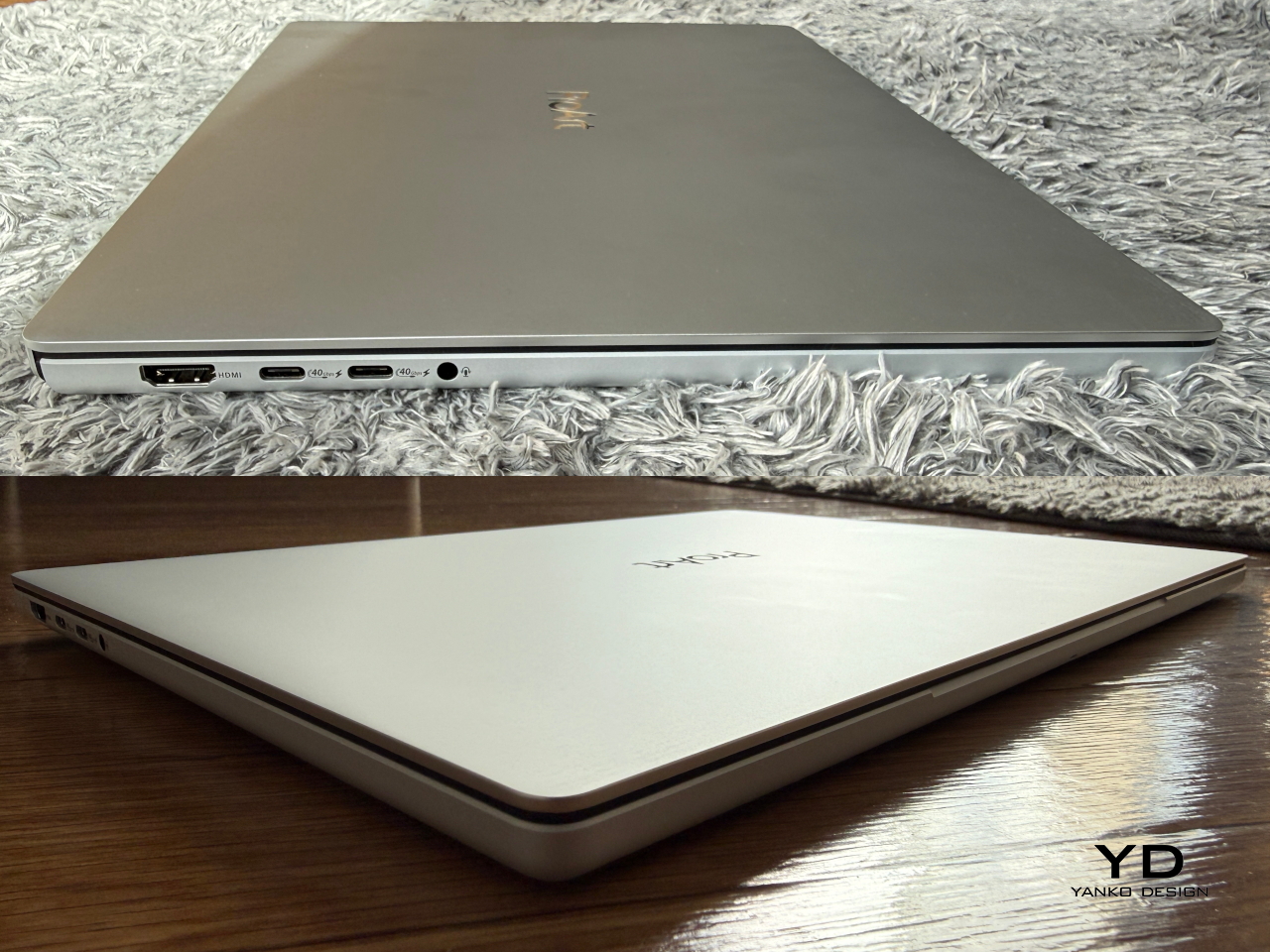
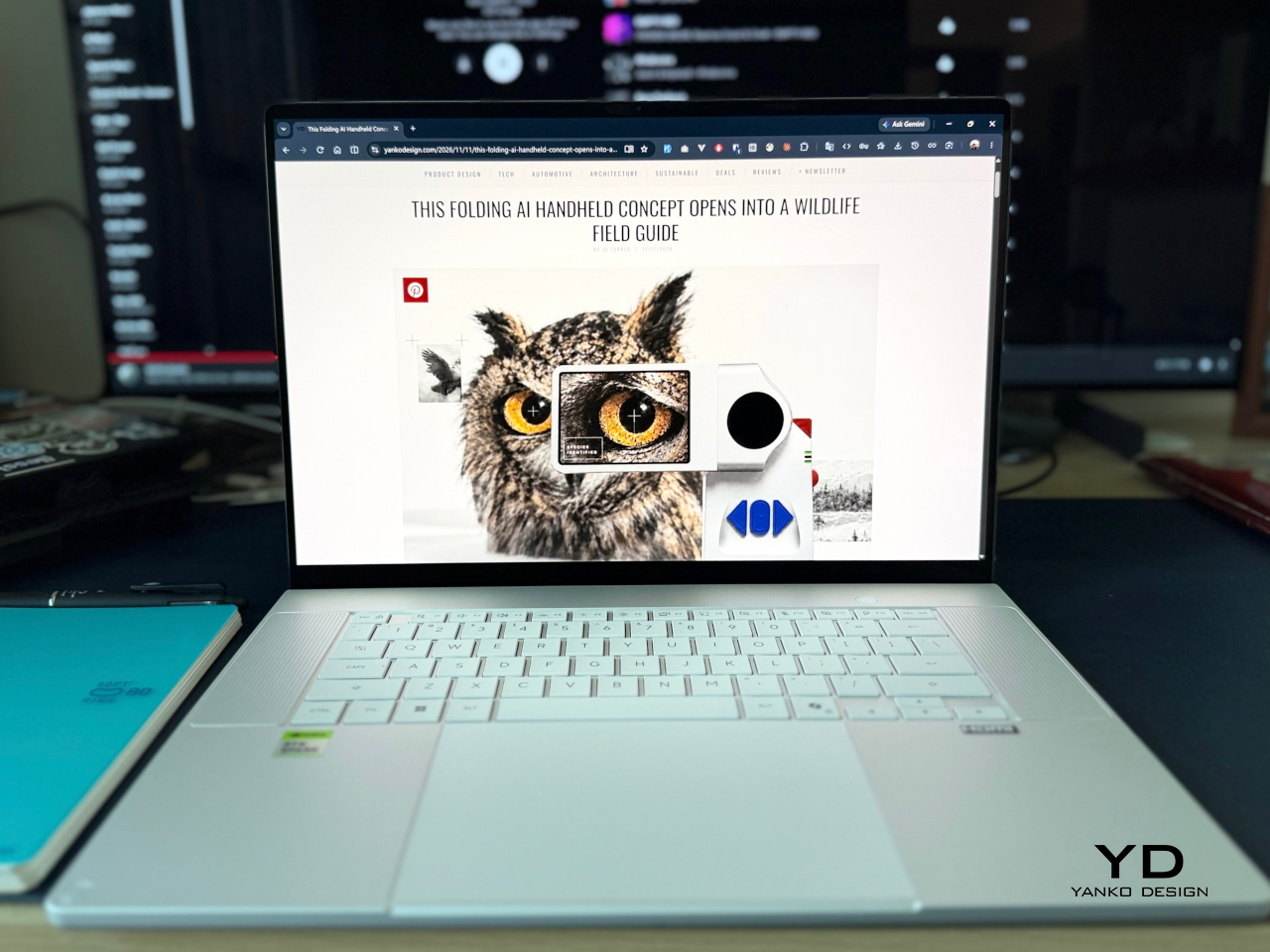
The Neo White variant avoids the stark, clinical aesthetic often associated with kitchen appliances. ASUS describes the finish as a refined silver-white achieved through a meticulous sandblasting process across the metal chassis, resulting in a consistent matte texture on the lid, the keyboard deck, and the base. The only reflective element on the exterior is a polished ProArt wordmark centered precisely on the lid. Because lighter-colored laptops tend to accumulate smudges and dust more rapidly than their darker counterparts, users opting for the Neo White finish should anticipate regular wipe-downs to maintain its pristine appearance.
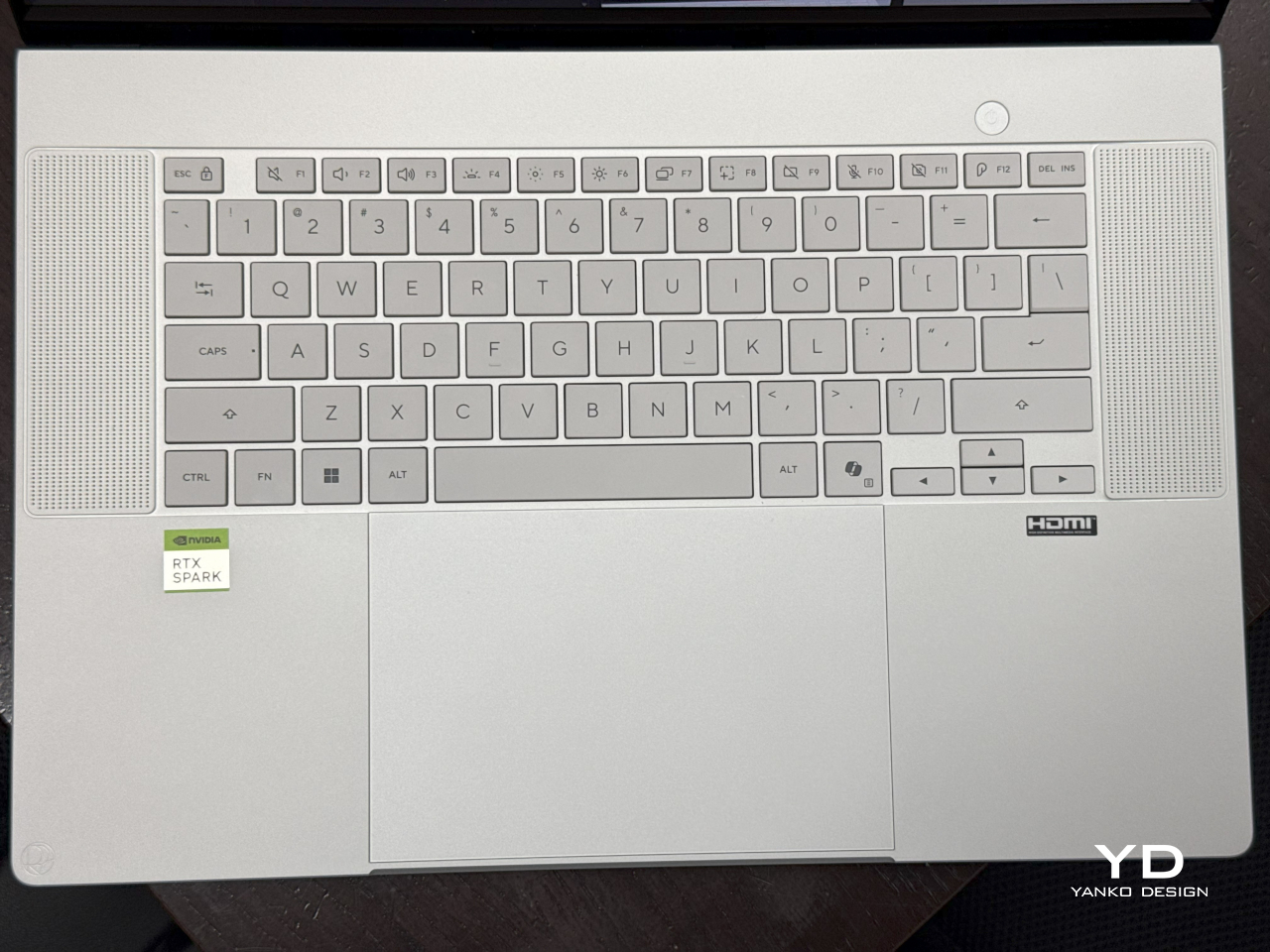
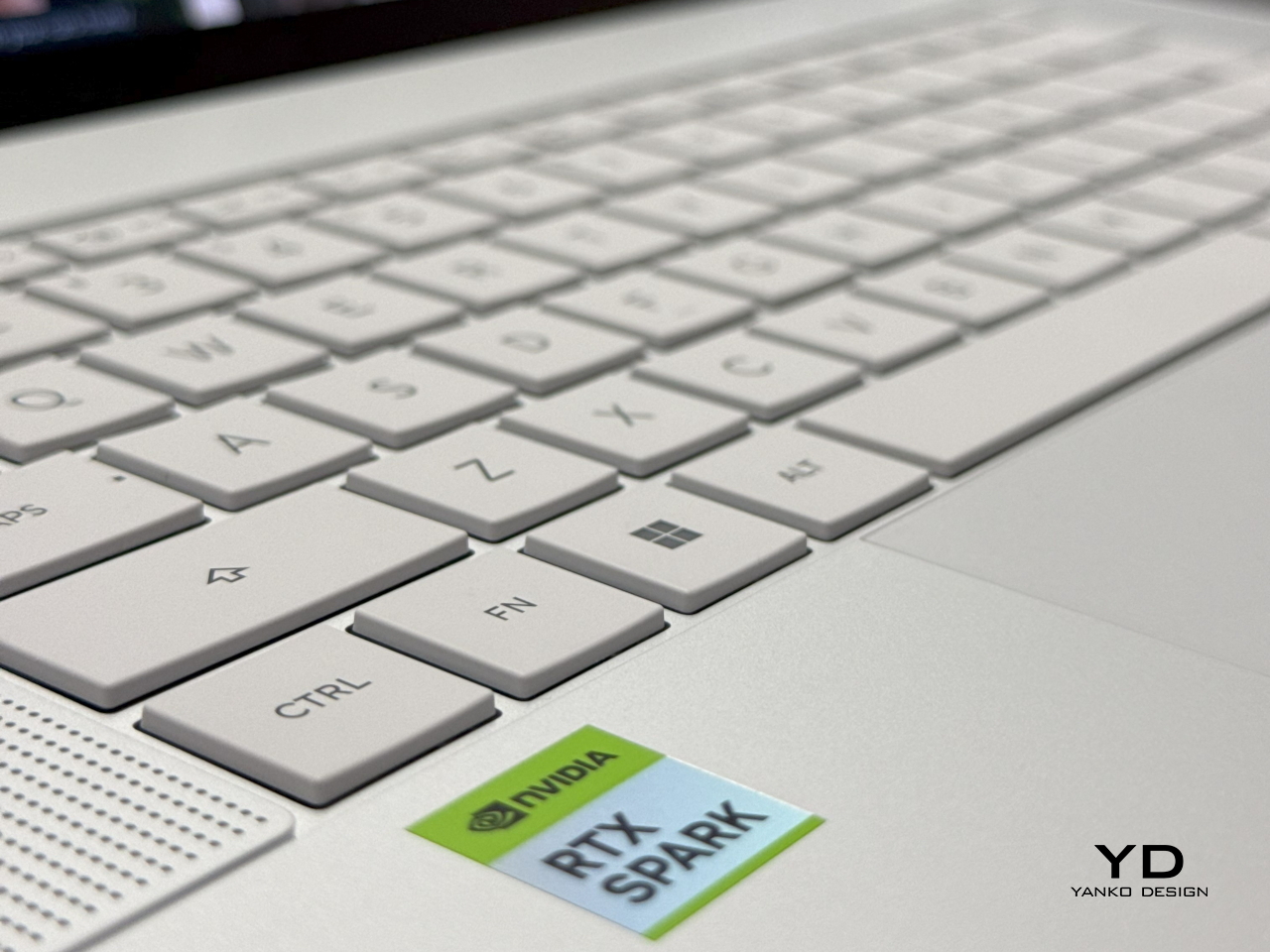
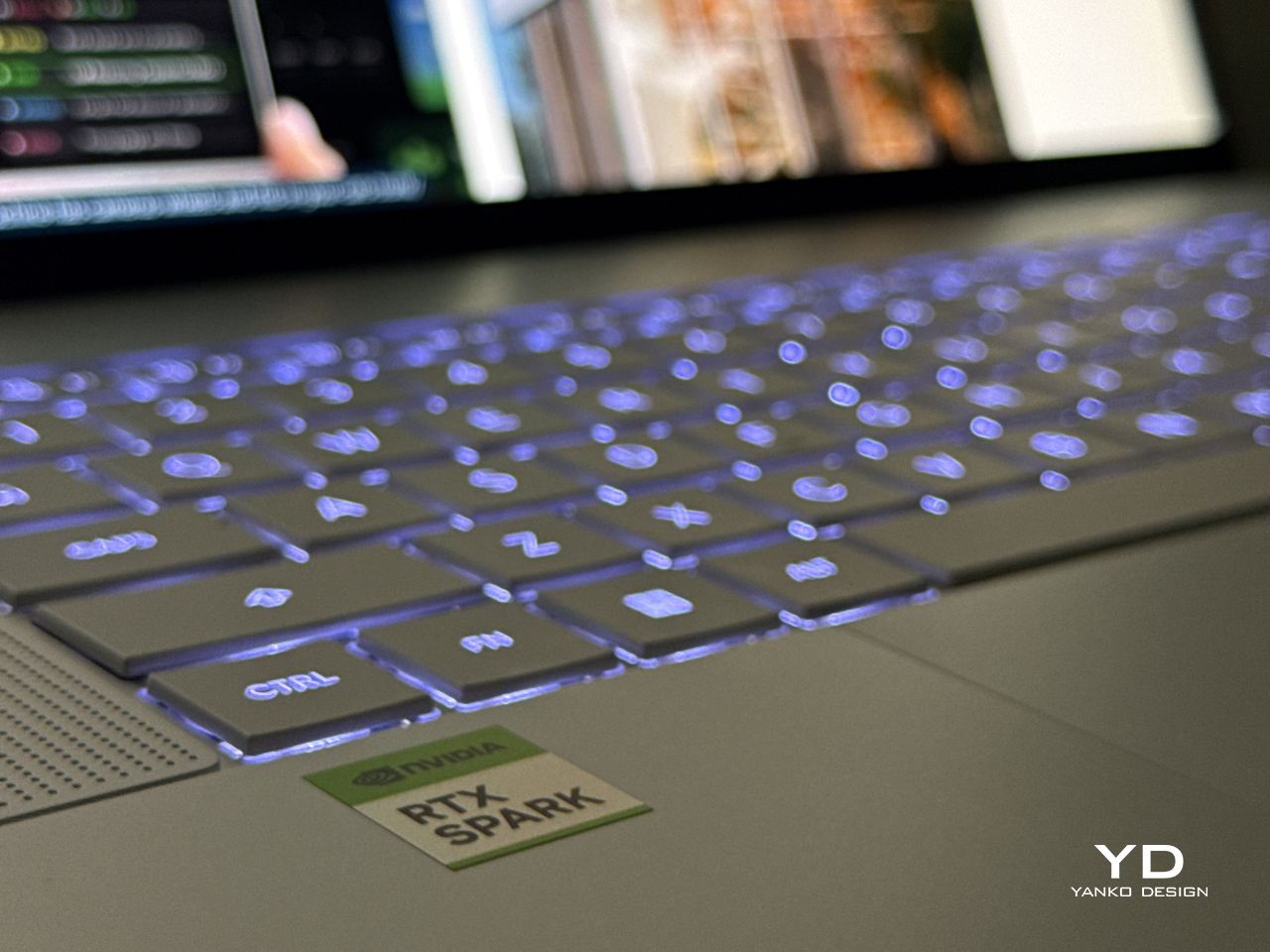
Lifting the lid reveals a continuation of the cohesive white design philosophy, extending across the keycaps, the palm rest, and the expansive touchpad. Flanking the keyboard are two tall, meticulously engineered speaker grilles featuring a fine dot pattern. The keyboard backlight glows in a cool, understated white, while the wide glass touchpad remains completely free of distracting markings or boundaries. The only interruptions to the monochromatic palette are two removable palm-rest stickers—a green NVIDIA badge and an HDMI logo—that easily peel away for a cleaner look.

Despite packing an immense amount of computational power into a 16-inch chassis, the laptop remains remarkably thin, measuring between 12.9 and 15.9 millimeters and tipping the scales at 1.77 kilograms. This slim profile is largely attributable to the architecture of the RTX Spark N1X chip, which consolidates the CPU, GPU, and memory architecture into a single unified package, eliminating the need to accommodate a bulky, separate dedicated graphics card inside the enclosure. When closed and resting on an office desk, it presents a subtle, professional profile that resembles a standard corporate machine rather than a specialized graphics workstation.
Examining the perimeter reveals a clean layout dominated by connectivity ports rather than oversized thermal exhaust vents. Intake airflow is managed through the keyboard deck and a substantial grille on the underside of the chassis, while hot air is expelled through the hinge assembly, utilizing the narrow gap engineered between the display and the lower deck. ASUS refers to this thermal solution as a stealth hinge. It remains virtually unnoticeable during routine tasks, though it becomes the primary focal point for heat dissipation when the system is pushed to its limits under heavy workloads.
Ergonomics and Practical Usability
The keyboard delivers an exceptional typing experience, featuring key spacing and a layout optimized for extended writing and creative sessions. ASUS provides 1.7mm of key travel, a remarkably generous depth for a chassis this thin. The layout adheres to a standard configuration, eliminating any learning curve for users transitioning from traditional desktop or laptop keyboards. Eschewing a dedicated numeric keypad allows the dual speaker grilles to occupy the lateral spaces on either side of the keyboard. On a device engineered primarily for rigorous professional workflows, a dependable, uncluttered keyboard takes precedence over auxiliary utility keys.
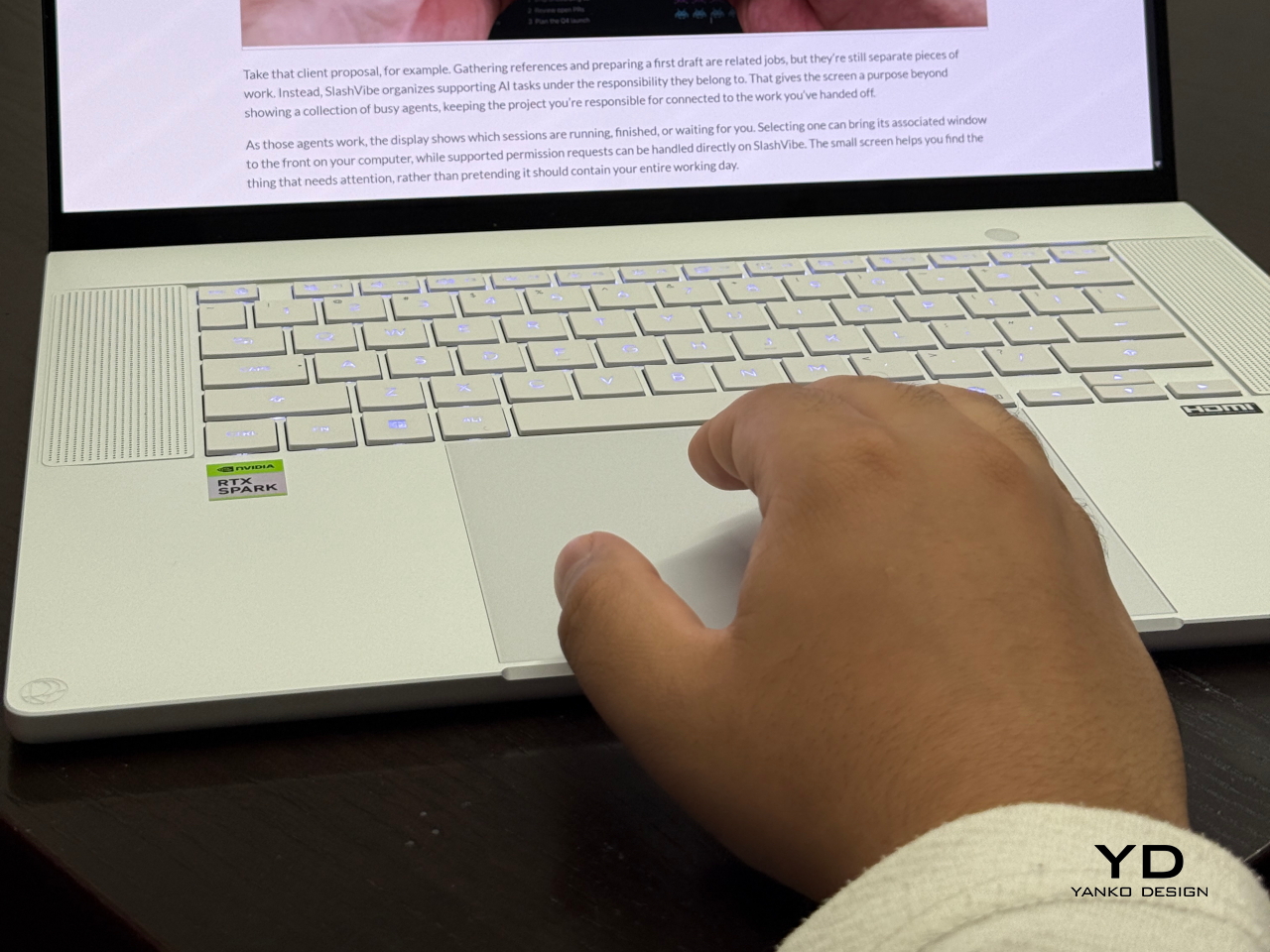
Below the keyboard sits a spacious and highly responsive touchpad. Beyond basic navigation, it houses secondary shortcut gestures embedded along its edges, which can be activated through the pre-installed MyASUS utility software. Sliding a finger along the left edge adjusts system volume, while a similar gesture on the right edge modifies display brightness. The top edge functions as a scrubbing tool for video timelines, and a simple tap in the top-right corner summons ScreenXpert, the proprietary ASUS window-management utility. These hidden inputs leave the physical surface completely smooth, with no printed indicators to reveal their underlying functionality.
Connectivity ports are distributed evenly across both sides of the chassis. The left flank hosts an HDMI output, two high-bandwidth 40Gbps USB-C ports, and a standard 3.5mm headphone jack. The right side accommodates a full-size SD card reader—a welcome inclusion for photographers and videographers—alongside an additional 40Gbps USB-C port and a traditional USB-A port operating at 10Gbps speeds. Because the USB-C ports are available on both sides of the machine, users enjoy the flexibility of plugging the power adapter into whichever side happens to be closest to the wall outlet.
The integrated webcam represents a minor shortcoming relative to the device’s premium price point, delivering an image quality that is merely adequate for routine video conferencing. Given that virtual meetings are now an integral component of professional creative pipelines, a sharper sensor would have been appreciated. Conversely, biometric authentication via Windows Hello is exceptional. Facial recognition operates with a speed and reliability that stands out in daily use, utilizing a dedicated infrared camera rather than relying on the standard webcam sensor to verify user identity.
Performance and Architecture
RTX Spark N1X and Windows on Arm
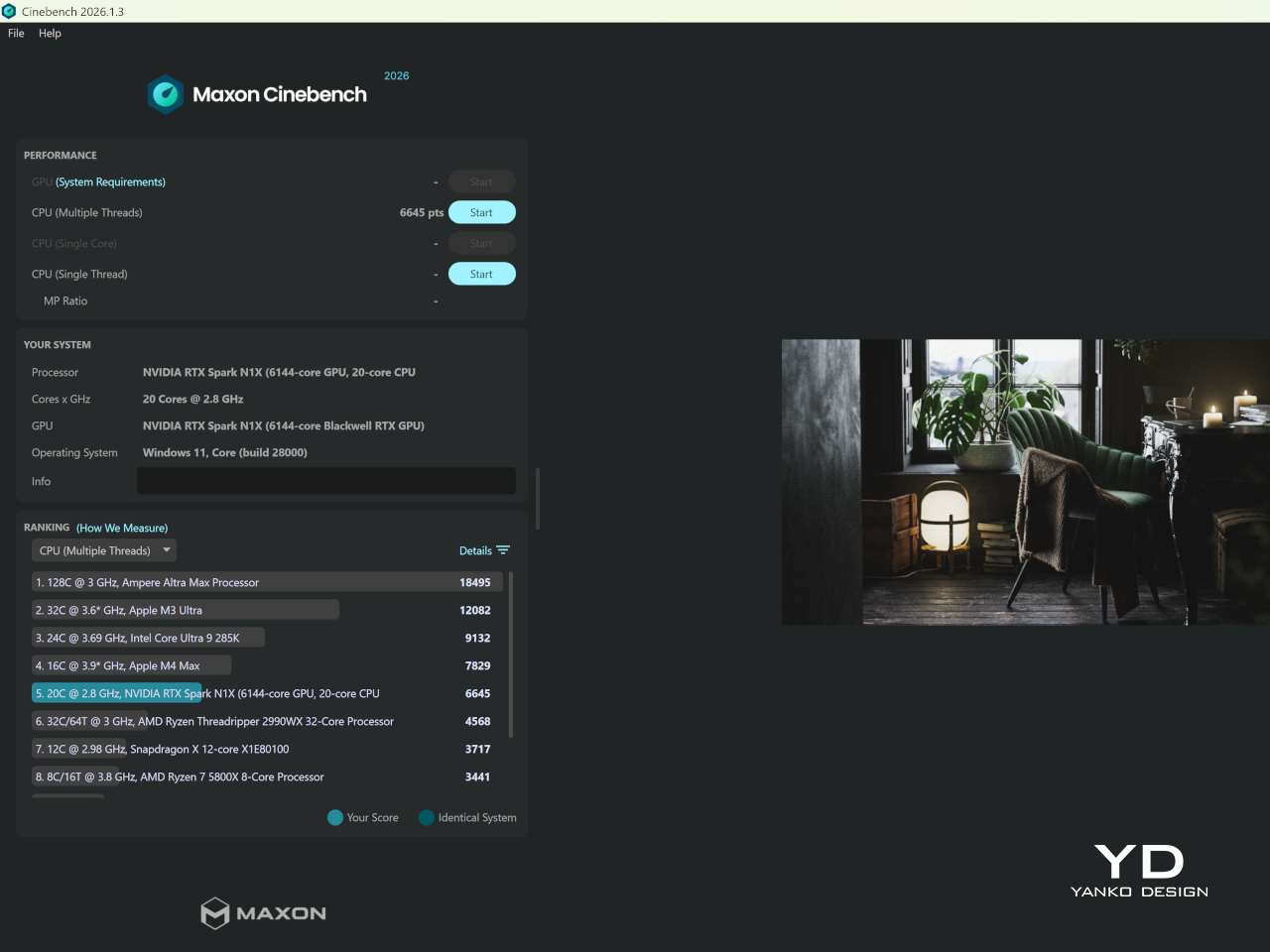
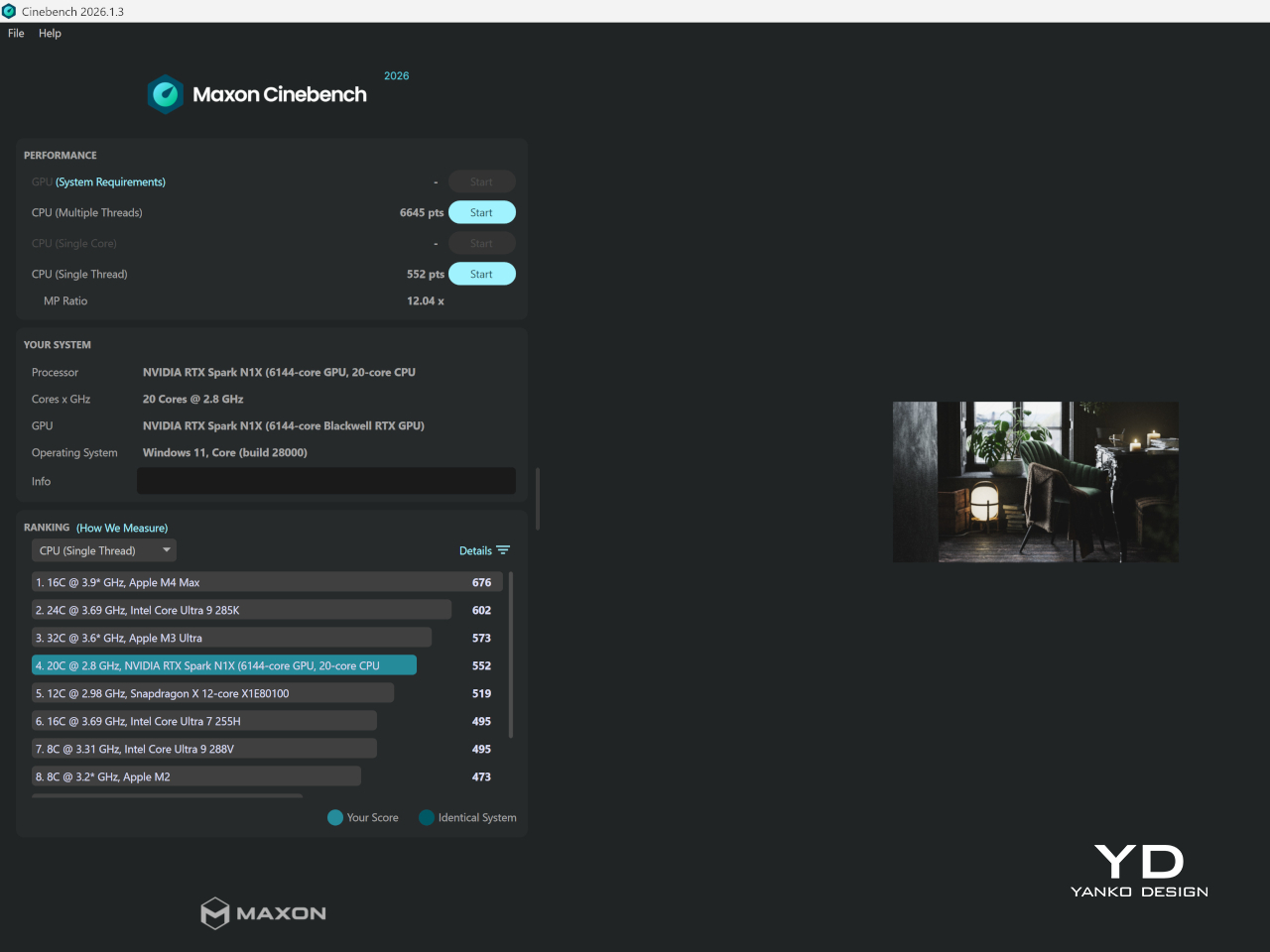
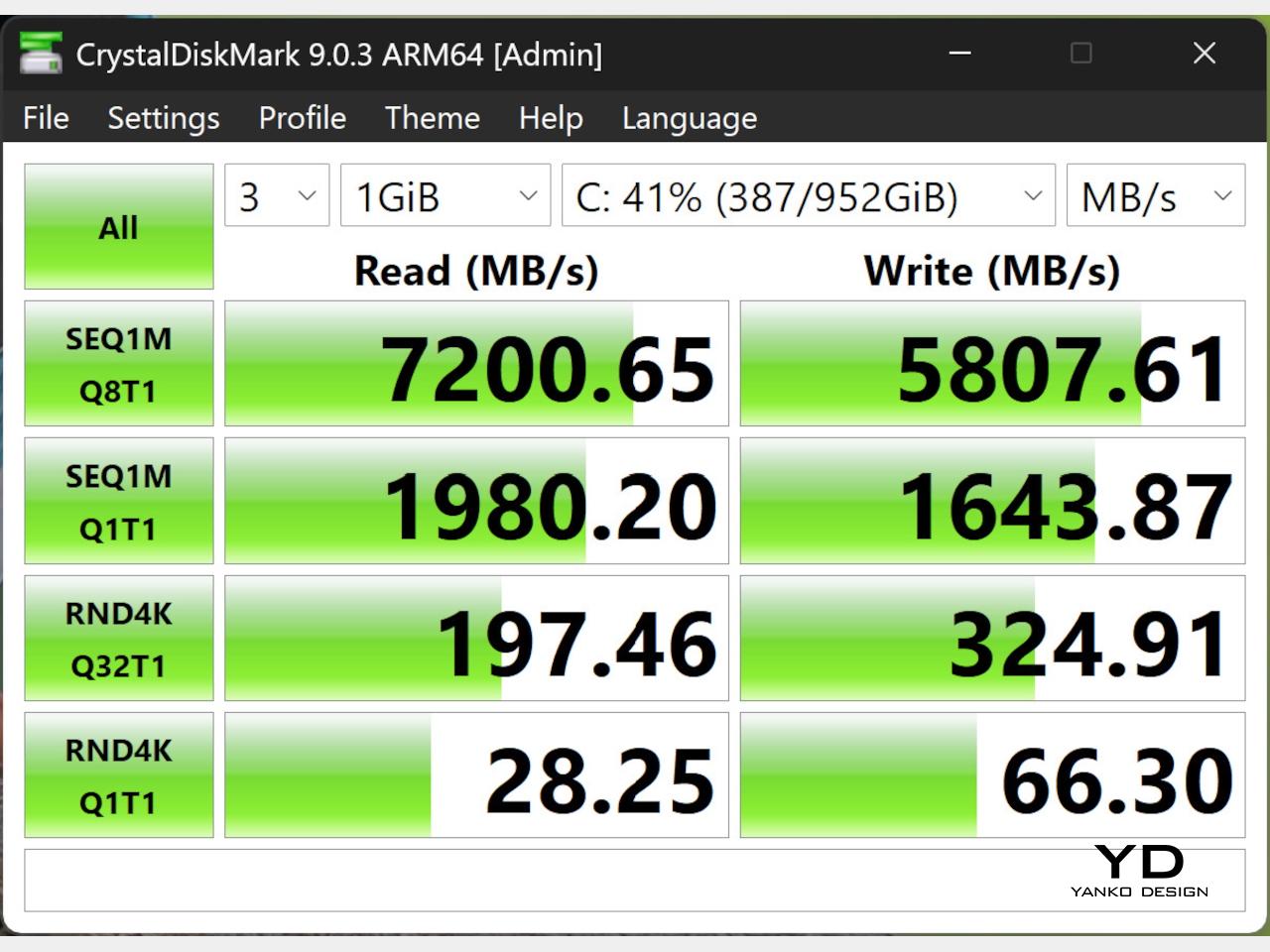
At the heart of the system lies NVIDIA’s RTX Spark N1X platform, which integrates a 20-core Arm-based central processing unit alongside a massive 6,144-core RTX graphics processor, both of which share 64GB of fast LPDDR5X system memory. Benchmark evaluations conducted in the system’s Standard power mode yield formidable results, with Geekbench 6 recording single-core scores of 3,020 and multi-core scores of 19,268. Geekbench 7 highlights the graphical prowess with a CUDA score of 166,051, while Cinebench 2026 logs 552 for single-core and 6,645 for multi-core performance. Furthermore, the internal solid-state drive achieves impressive read speeds of 7,200 MB/s and write speeds of 5,807 MB/s.
Major creative software ecosystems have increasingly embraced this architecture. Adobe provides native Windows on Arm iterations of flagship applications such as Photoshop, Premiere Pro, and After Effects, while other industry standards like DaVinci Resolve, Blender, and Affinity run natively on the platform. Testing with local installations of Photoshop and Premiere Pro confirms seamless operation; complex multi-layered image files remain responsive, and navigating or exporting high-resolution video timelines in Premiere proceeds without noticeable friction.
Nevertheless, operating within a Windows on Arm environment introduces inherent boundaries. While standard productivity software and benchmarking utilities function without interruption, legacy applications built exclusively for x64 architecture must rely on software emulation, which can introduce performance penalties for exceptionally demanding workloads. Gaming compatibility presents a distinct set of challenges; certain anti-cheat software suites lack native Arm support, temporarily precluding the execution of major competitive multiplayer titles. Prospective buyers are advised to verify compatibility for their essential software tools prior to purchase.
Display and Sound Quality
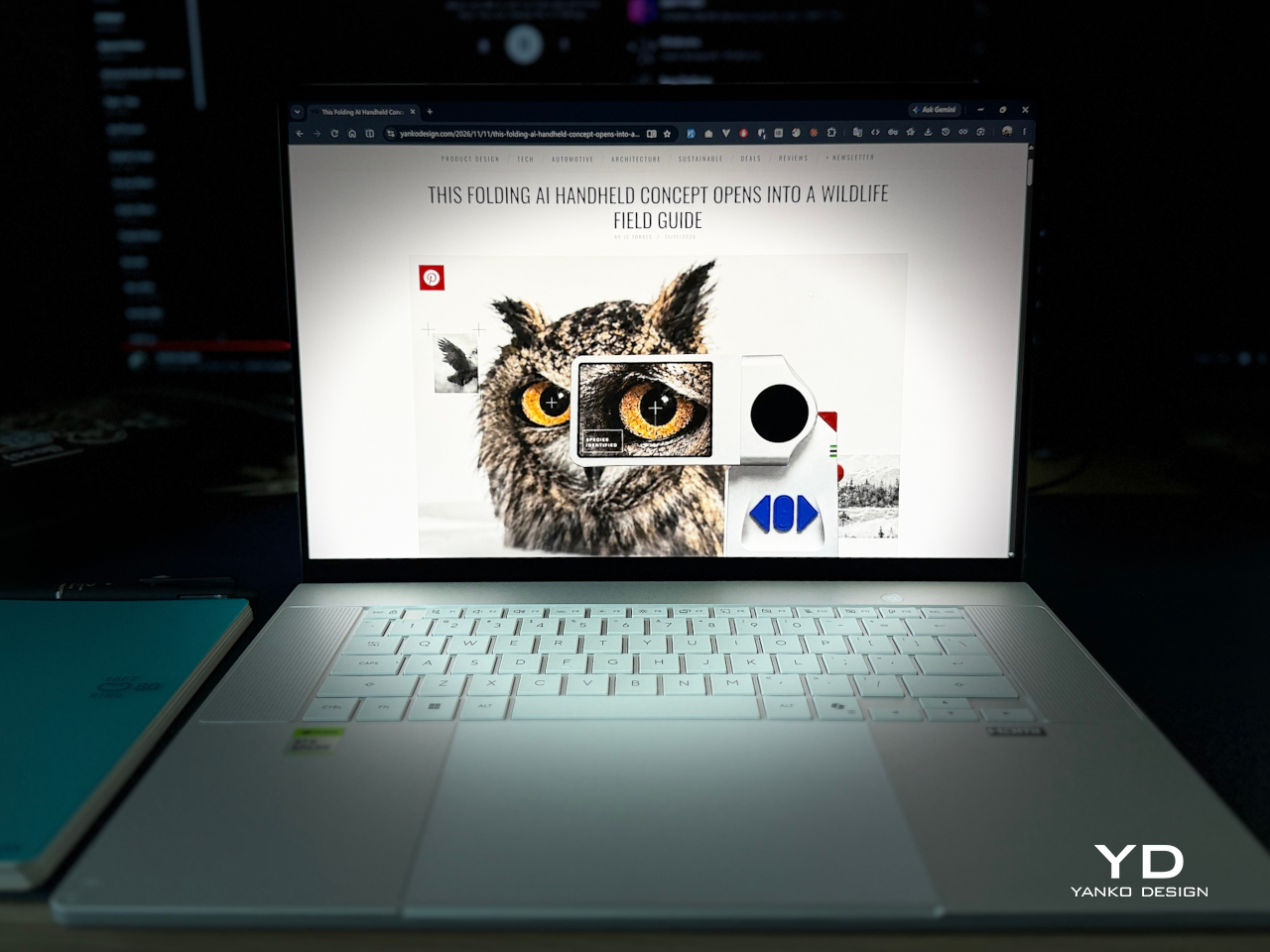
The 16-inch 4K tandem OLED display serves as one of the most compelling arguments for the hardware. Operating at a fluid 120Hz refresh rate, the panel undergoes rigorous factory color calibration to ensure full coverage of the DCI-P3 color spectrum. Text rendering is exceptionally crisp, color reproduction appears remarkably accurate, and the self-emissive nature of the technology delivers absolute black levels. Touch input is swift and precise, complementing a workflow centered around visual creation and touch-based media manipulation.
ASUS includes comprehensive display management options within the MyASUS application, featuring flicker-free dimming settings tailored for users sensitive to traditional OLED modulation. Operating system integrations include intelligent privacy features such as Onlooker Detection, which automatically dims the screen when an unauthorized second viewer is detected nearby. However, outdoor usability remains constrained by physical limitations; despite the application of advanced anti-reflective coatings, the panel struggles against direct, glaring sunlight.
Acoustic performance is equally impressive, driven by an array of six distinct speakers that provide genuine spatial depth rarely found in slim workstation chassis. The configuration features two upward-firing grilles positioned beside the keyboard and downward-firing slots located beneath the chassis, offering full support for Dolby Atmos spatial audio. Voice input for calls and meetings is managed effectively by a three-microphone array.
Local Artificial Intelligence Processing
Designed explicitly to function as a local AI powerhouse, the RTX Spark platform was tested using a demanding open-weights model: Qwen 3.8 featuring 27 billion parameters. Initial execution utilizing an 8-bit model file within Unsloth Studio yielded a processing speed of approximately 7 to 8 tokens per second. Because large language models must read their entire parameter weight set for every generated token, smaller file quantizations naturally yield higher processing speeds. Transitioning to a 4-bit file format within TensorFold successfully doubled output speeds to roughly 14.5 tokens per second.
The most dramatic performance gains emerged when implementing a speculative decoding drafter—a smaller auxiliary helper model tasked with predicting subsequent tokens for validation by the primary model. Utilizing the DFlash2 drafter elevated conversational inference to a median speed of 50 tokens per second, while coding tasks reached approximately 64 tokens per second. This represents a more than six-fold acceleration over baseline performance, achieved through optimized file quantization and advanced execution engines.
Achieving these optimized workflows requires familiarity with development environments such as Docker and Windows Subsystem for Linux. Sustained testing was conducted in Performance mode with the laptop connected to AC power, where processing speeds remained consistent during extended sessions. Under maximum artificial intelligence workloads, the internal cooling fans operated at speeds between 5,500 and 6,000 RPM, allowing the graphics processor to peak at a stable temperature of 73 degrees Celsius. Acoustic measurements taken near the rear hinge indicated noise levels reaching roughly 57 decibels under load, up from an idle baseline of 40 decibels, making it less than ideal for completely silent public spaces. Furthermore, the metal chassis surface directly above the center of the keyboard becomes noticeably warm during prolonged computational tasks.
Battery Life and Power Delivery
Power is supplied via a 140W USB-C adapter packaged with a durable braided cable and a separate power cord. Because the machine features three identical 40Gbps USB-C ports distributed across both sides of the chassis, charging cables can be connected interchangeably. The standardized USB-C protocol also allows the included power brick to replenish other compatible electronics, reducing the number of dedicated chargers required when traveling.
Real-world battery longevity varies depending on the intensity of the workload. With the battery level sitting at 59 percent, the operating system estimated remaining runtimes of nearly five hours, translating to roughly eight hours of mixed productivity from a full charge. Intensive machine learning evaluations were conducted while plugged into wall power, as heavy computational tasks rapidly deplete the internal energy reserves. The integrated 99.9Wh battery capacity sits just beneath the mandatory 100Wh regulatory limit for commercial airline travel, ensuring that system performance under heavy load is dictated by the thermal limits of the processor rather than the capacity of the battery itself.
Sustainability and Longevity
Several design choices contribute to the long-term viability of the hardware. Reliance on standard USB-C power delivery ensures that the primary 140W charger is easily replaceable and cross-compatible with external devices. Furthermore, the inclusion of a secondary M.2 storage slot allows users to expand internal capacity without needing to discard or replace the primary boot drive. Operating system utilities incorporate intelligent charging profiles designed to moderate energy flow and preserve long-term battery health over years of daily usage.
Conversely, system memory remains permanently soldered to the motherboard, meaning the 64GB capacity selected at the point of purchase cannot be upgraded later, underscoring the importance of configuring the machine appropriately from day one. The chassis itself adheres to MIL-STD-810H military-grade durability standards and incorporates protective dust filters along its primary air intake pathways.
Value Proposition
Priced at $4,499.99, the ProArt P16 RTX Spark occupies the upper echelon of the professional creative laptop market. That financial investment secures a magnificent 4K tandem OLED display, robust spatial audio speakers, a refined keyboard layout, and 64GB of unified memory housed within a remarkably slim enclosure. As a traditional workstation laptop, it commands a premium price justified by tangible hardware quality that satisfies users from the moment the lid is opened. The specialized machine learning hardware, however, requires technical configuration before its full potential is unlocked.
The AI capabilities reward technical engagement. For software developers and data professionals already accustomed to containerized environments, the ability to run a private 27-billion parameter model locally without incurring cloud subscription fees or exposing sensitive data represents a significant professional asset. For digital artists utilizing single creative applications, the hardware provides an integrated local acceleration platform, even if the advanced processing speeds require deeper system optimization.
Verdict
The ASUS ProArt P16 RTX Spark successfully bridges the gap between high-performance mobile computing and localized machine learning execution. As a traditional laptop, it excels from the first minute of use, combining a slim profile, sophisticated Neo White aesthetics, and premium input devices into a comfortable daily driver for professional workflows.
As a local artificial intelligence workstation, it rewards technical patience, offering impressive processing speeds once specialized environments and helper models are properly configured. While the thermal and acoustic profile under heavy computational loads is noticeable, and software compatibility requires mindfulness regarding the Arm architecture, the device stands as a remarkably capable and versatile machine for professionals willing to harness its advanced capabilities.