The prominent front-end development publication CSS-Tricks has officially rolled out "v20," a major theme overhaul marking its first comprehensive design and architectural update in five years. While the publication has introduced steady feature updates and continuous content improvements over the years—most notably accelerating development efforts since 2024—the core site infrastructure and aesthetic framework had largely remained unaltered since its last structural design push half a decade ago.
Rather than executing a total architectural teardown, the engineering behind the version 20 release reflects an iterative rollup approach. Over nearly two decades of operation, the publication accumulated significant technical debt and legacy design artifacts. The v20 theme release addresses these accumulated layers, delivering substantial code optimization, modernized tooling pipelines, an overhaul of central visual components, and a refreshed editorial presentation.
Excavating Ghosts: Trimming Legacy Code and Purging Obsolete Infrastructure
A primary objective of the v20 development effort involved auditing and eliminating invisible debt accumulated across the site’s 19-year history. Over several generations of site management, residual code snippets had remained embedded within the codebase despite serving no active runtime purpose.

Among the primary items removed from the main compiled JavaScript bundle were legacy scripts previously utilized to handle embedded email newsletter forms prior to moving to self-hosted post delivery. The audit also stripped out obsolete custom toggle scripts engineered for early iterations of the site’s Flexbox Guide, which had been built prior to widespread browser support for native HTML <details> elements. Furthermore, legacy third-party advertising scripts were excised following a transition to self-hosted ad serving, while a legacy jQuery lazy-loading library was deprecated in favor of native functionality handled directly by WordPress core.
Through these combined eliminations, the total compiled JavaScript footprint for the site dropped from 151.6 KB (55.3 KB gzipped) down to 133.8 KB (48.1 KB gzipped).
Beyond front-end scripts, the update finalized the retirement of the original CSS-Tricks Forum, which had been placed into an read-only archive mode around 2018. Because the decade-old technical discussions held diminished relevance for modern web standards, the underlying bbPress plugin powering the forum was deactivated and its associated data purged. This database cleanup reclaimed approximately 400 MB of storage while eliminating numerous legacy page templates from the active theme directory. Concurrently, the site updated its Gulp build workflow, resolving long-standing build-time terminal errors and streamlining local development pipelines.
Conducting a Modern Security Pass
In addition to code cleanup, the development process included a dedicated security audit aimed at hardening the custom theme against potential vulnerabilities. The pass addressed several instances of unescaped custom field calls scattered throughout legacy template files.
To assist with the audit, developers leveraged the Claude artificial intelligence model as a technical research assistant. The tool was tasked with reviewing recent official WordPress core security advisories and cross-referencing theme structures to pinpoint areas requiring updated sanitization or escaping protocols. By utilizing machine learning models to accelerate security review and verification, front-end engineering resources remained focused on complex layout refactoring and component design.
Architectural Refactoring with Sass
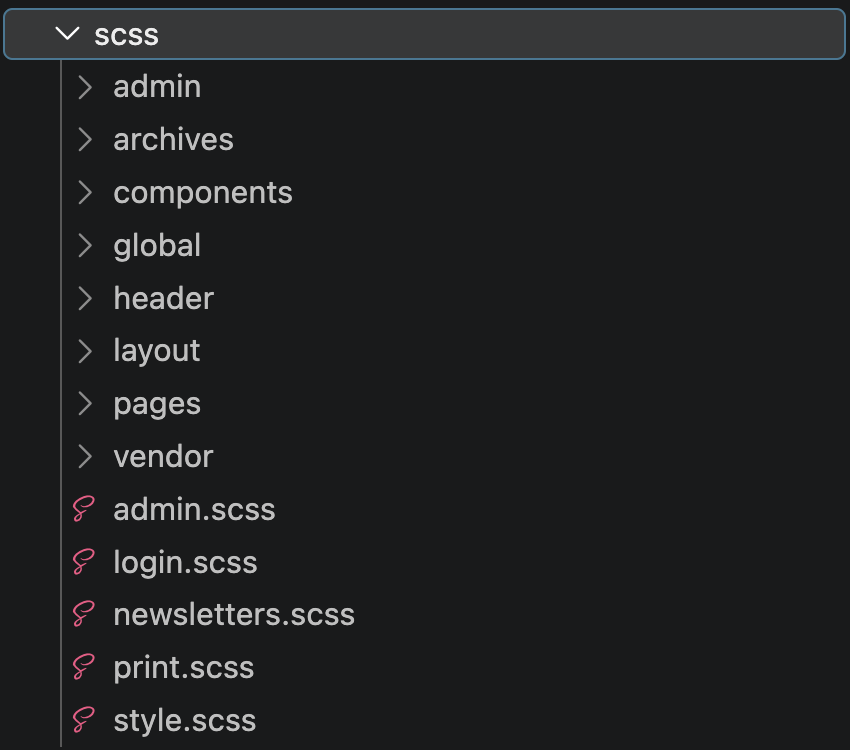
Despite the growing capabilities of native vanilla CSS, the updated theme retains Sass to leverage modular style partials. However, the stylesheet architecture underwent structural reorganization, moving away from a single top-level file structure toward a structured directory model designed for easier long-term maintenance.
The refactoring reduced the overall CSS bundle size from 180 KB (31.7 KB gzipped) to 169 KB (24.6 KB gzipped). To achieve these payload reductions, heavy form-related styles were decoupled from the global stylesheet. These styles were isolated into a dedicated asset file, forms.css, which is now loaded conditionally only on pages where plugins such as WooCommerce, Restrict Content Pro, or Gravity Forms are active. Looking ahead, ongoing architectural work aims to integrate formal CSS Cascade Layers to better manage styling order and specificity conflicts.
Establishing a Systematized Design Foundation
Addressing the stylistic inconsistencies that developed across the site’s extensive collection of subpages, v20 establishes a centralized system of semantic design tokens. Previously, the theme relied on numerous hardcoded utility classes, localized magic numbers, and varied shade selections, particularly across neutral grayscale elements.
The new token system introduces standardized variables governing color palettes, typography, font sizes, margins, and layout padding across all page layouts. Centralizing these values ensures consistent design updates across the platform while providing accessibility enhancements. For instance, link styles across the site now share unified visual cues that do not rely exclusively on color contrast or opacity shifts to signal interactivity.
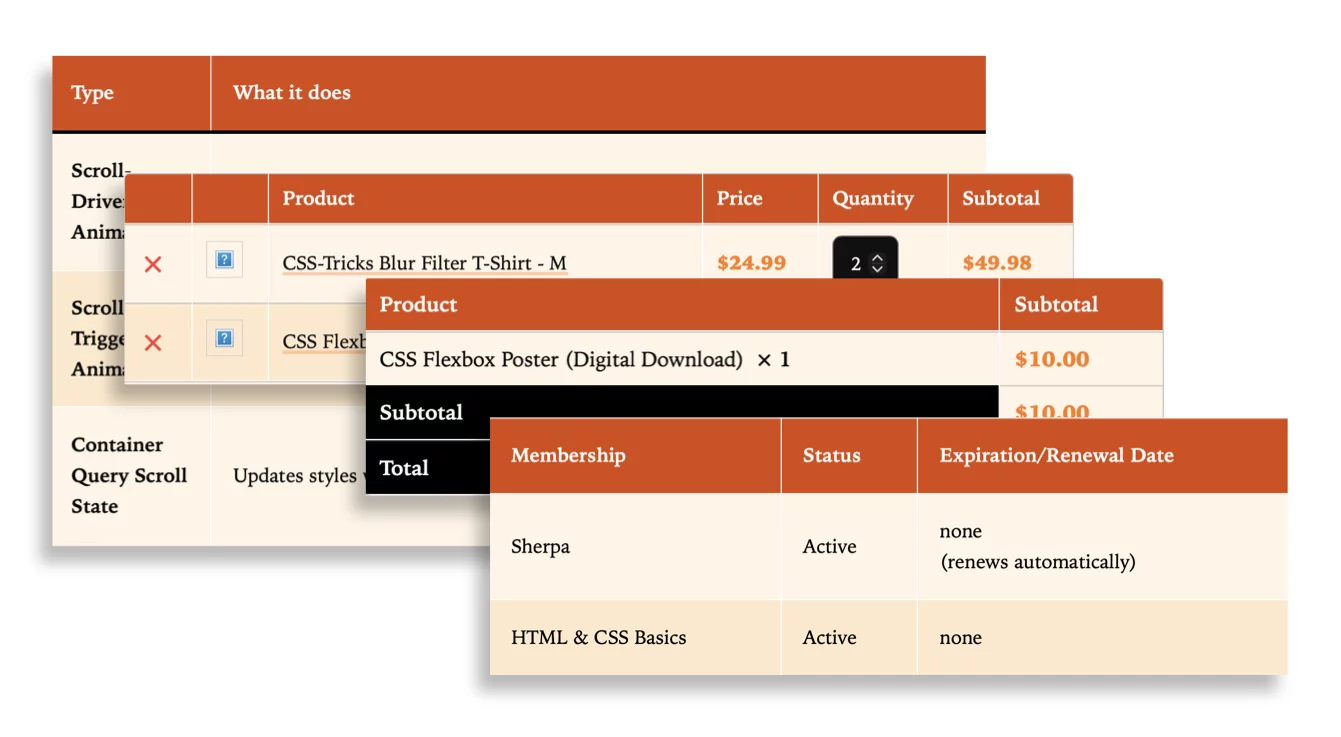
Component styling across third-party plugins was similarly unified. Previously, elements generated by separate plugins—including Gravity Forms, WooCommerce, and Restrict Content Pro—rendered with distinct, un-coordinated visual properties. Resetting and extending base styles across these external dependencies ensured uniform formatting for interactive forms and data tables throughout the platform.
Introducing the Multi-Scheme Theme Toggle
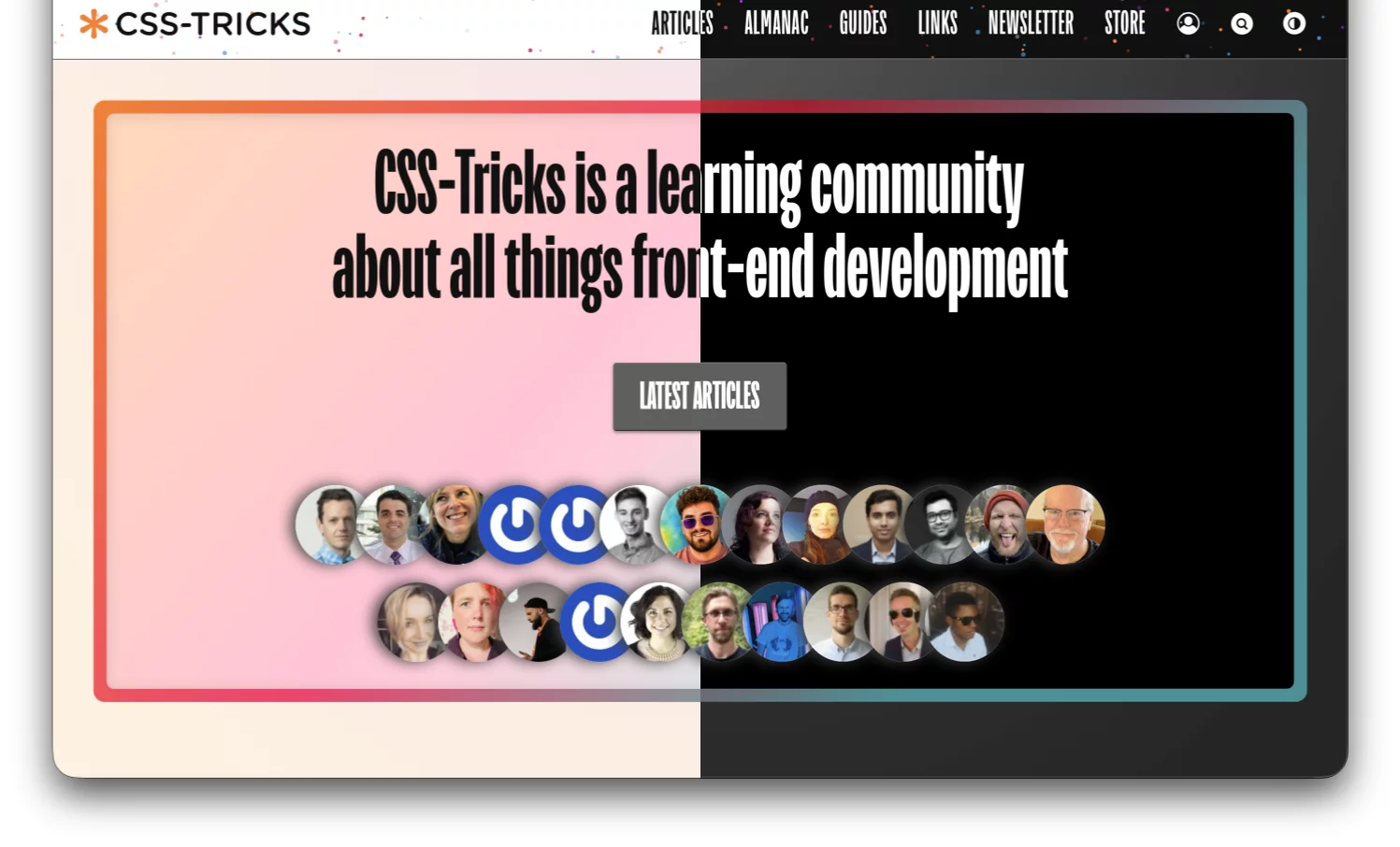
For the first time in the site’s history, CSS-Tricks has introduced a native, multi-scheme theme toggle supporting light, dark, and system-preference modes. Historically, the site relied on a hybrid visual presentation combining dark layout frames with light content containers, operating without a dedicated light mode option for nearly eight years.
The v20 release treats the classic visual aesthetic as the default dark presentation, introducing a new light mode featuring warm background tones and rebalanced component styling. The central article reading container retains its white background across modes to maintain readability. The toggle control manages system, dark, and light states through a single interface control, leveraging the native CSS View Transitions API to slide theme changes smoothly across the viewport during state changes.

The "Jawbreaker" Visual Texture
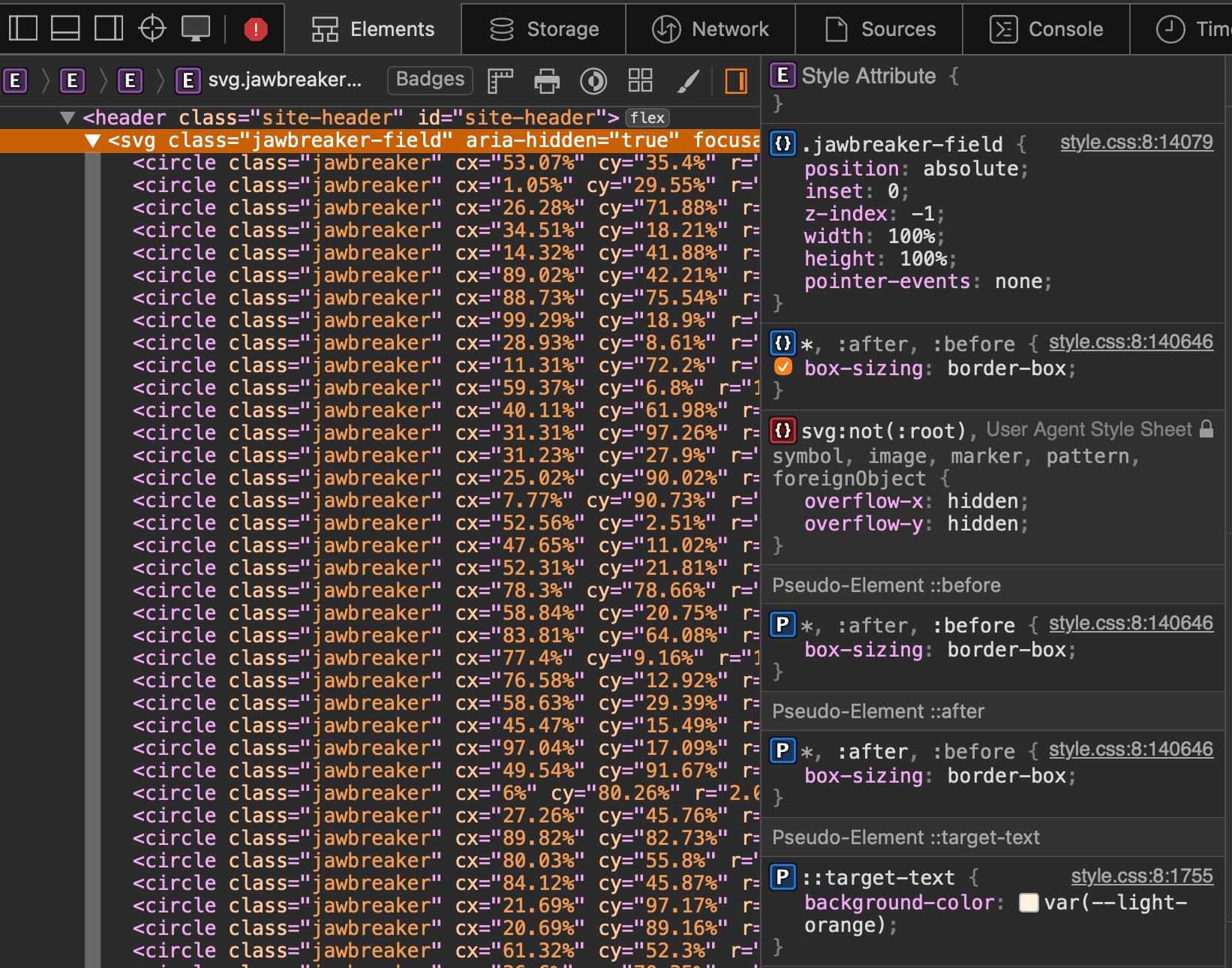
Adding subtle visual interest to structural layout elements, the header and footer now incorporate a decorative dot texture named "Jawbreaker," inspired by vintage candy textures and starry backgrounds.
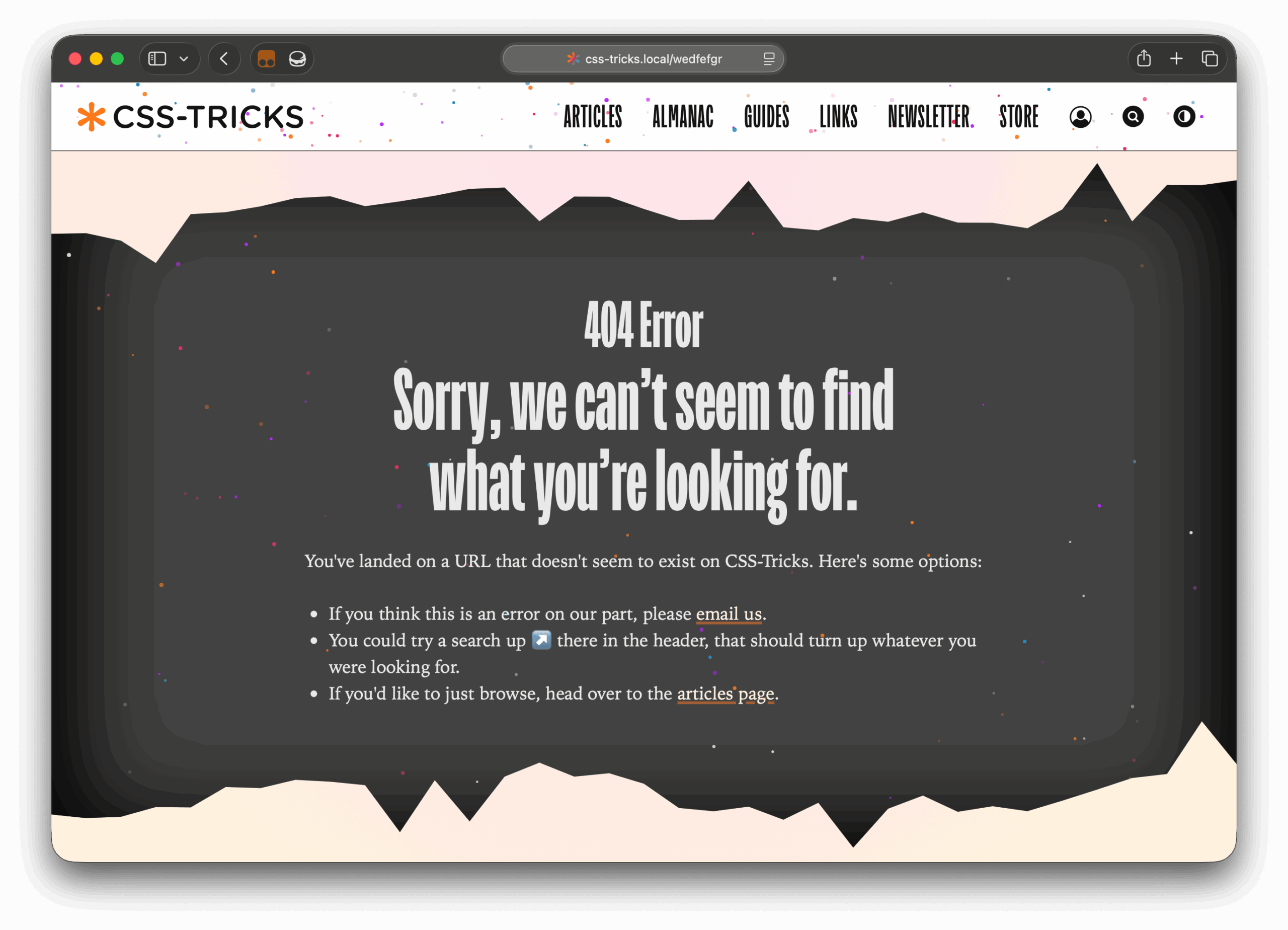
Rather than injecting numerous empty HTML nodes into the document object model to render background elements, the visual pattern is generated dynamically on the server using PHP. The underlying function constructs a unified SVG element populated with individualized <circle> nodes:
<?php echo csstricks_jawbreaker_svg( array(
  'count'    => 90,
  'seed'     => mt_rand(),
  'size_min' => 2,
  'size_max' => 5,
) ); ?>
The script dynamically calculates and inlines SVG attributes, including random layout coordinates, node sizes, and fill colors. It also injects custom CSS property values governing animation delays and duration lengths, producing a subtle twinkling effect across the header, footer, and custom 404 error template.
Modern Web Standards and Experimental CSS Blobs
The homepage avatar grid showcasing site contributors incorporates modern and experimental CSS specifications, including border-shape, clip-path, and CSS random() functions (currently supported in Chrome browsers).
The component constructs an underlying layer styled via a .gradient-card pattern. A :before pseudo-element provides a multi-color gradient background, while an overlapping translucent :after pseudo-element uses color-mix() and light-dark() properties to control inner surface fill and shadow depth. The difference in relative border radii between elements creates the visual impression of a framed border.
To achieve dynamic, organic morphing shapes, the component maps :before and :after pseudo-elements to CSS variables defined by complex shape() paths. The default layout utilizes a static path generator:
--blob-shape-static: shape(
  from 50% 3%,
  curve to 65.86% 11.71% with 59.41% 2.7%,
  smooth to 72.37% 27.63%,
  smooth to 77.43% 38.64%,
  smooth to 88% 50%,
  smooth to 92.79% 67.72%,
  smooth to 81.37% 81.37%,
  /* additional control points */
);
Upon hover or focus interactions, the component swaps control points to dynamic CSS variables populated by browser-level random() coordinate ranges:
--blob-point-1-x: random(62.86%, 68.86%);
--blob-point-1-y: random(8.71%, 14.71%);
--blob-point-4-x: random(85%, 91%);
--blob-point-4-y: random(47%, 53%);
--blob-point-7-x: random(60.22%, 66.22%);
--blob-point-7-y: random(78.93%, 84.93%);
When users trigger hover states, the shape smoothly scales and animates between generated geometric points, contingent on user motion preferences set via prefers-reduced-motion.
Redesigning Key Hubs: The Almanac and Guides Indexes
The site’s primary content indexes received significant functional updates to improve site navigation and discovery.
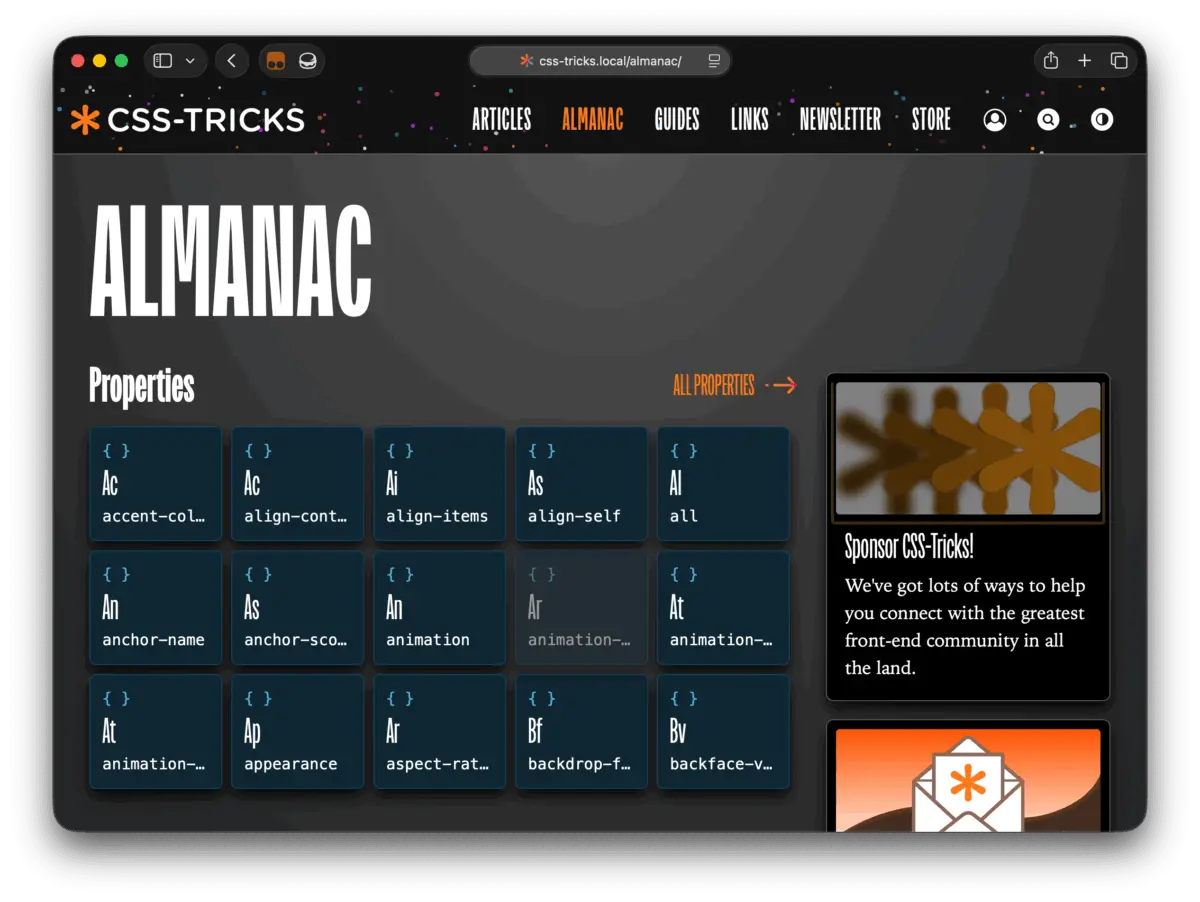
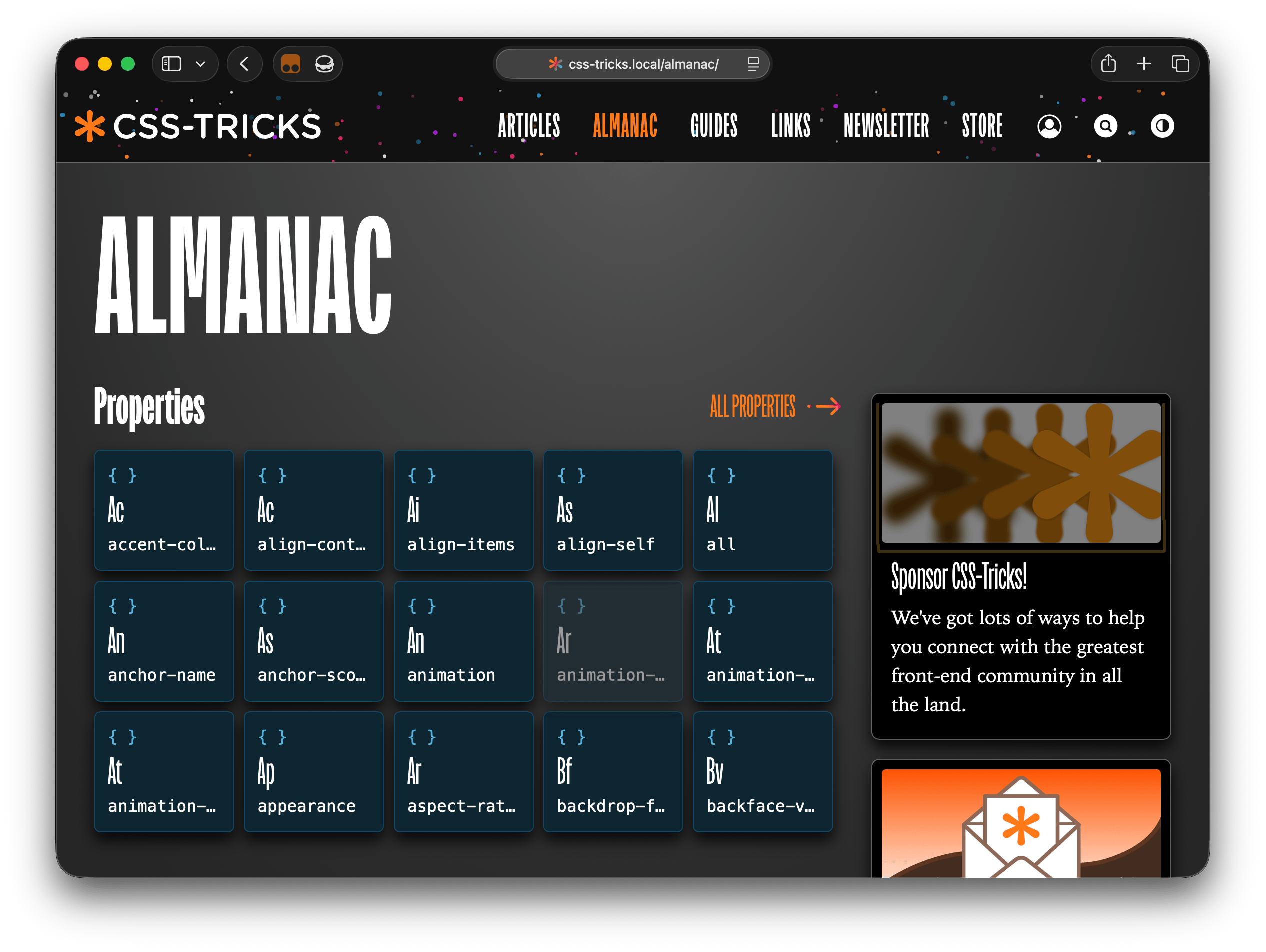
The CSS Almanac index page—previously limited to simple feature subset cards—was entirely overhauled. Drawing inspiration from scientific periodic tables, the new layout organizes CSS properties and selectors into an intuitive grid, enabling readers to quickly navigate deep CSS reference material.
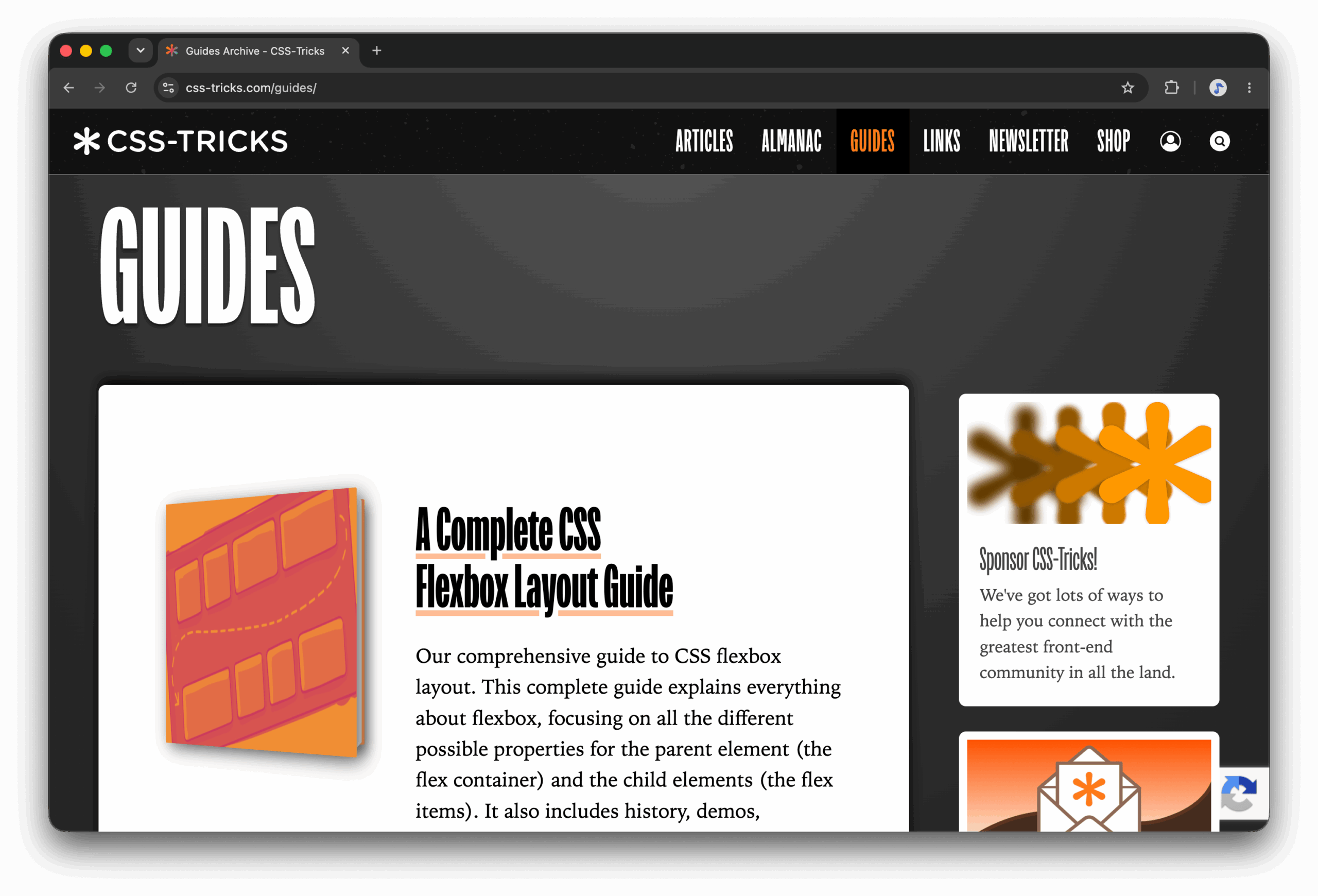
Similarly, the Guides index page moved away from its legacy vertical "book stack" layout. With over 27 comprehensive guides available on the platform, the previous single-column format required extensive scrolling without offering immediate visual context. The redesigned layout introduces a multi-tier presentation consisting of a prominent featured guide, a dedicated module tracking recently updated resources, and a categorized grid organizing the remaining guide library.
Enhancing Author Profiles and Editorial Workflows
Individual author profile pages received layout adjustments designed to prioritize content access. The primary sidebar was shifted to the left margin, allowing author avatar details and biography text to sit inline alongside published article streams. This shift brings recent articles higher up the page fold while establishing a framework for future profile enhancements.
For content creators working within the WordPress Block Editor backend, v20 introduces localized admin styles. By enqueueing light front-end typography and text layout rules within the editing canvas, content writers receive accurate visual feedback that matches the site’s live presentation without requiring a full page preview.
Benchmarking Performance: Version 19 vs. Version 20
To evaluate the impact of the v20 refactoring, the development team conducted comparative Google Lighthouse performance audits between the legacy theme (v19) and the new build.
Overall category scores demonstrated measurable gains across accessibility and engineering standards. The site’s Accessibility rating increased from 86 under v19 to 91 under v20. The Best Practices rating saw a significant jump, rising from 75 to a perfect 100 score. Performance scores remained stable, edging upward from 71 to 72, while SEO metrics registered at 90 compared to 92 previously.
Technical loading metrics revealed substantial performance optimizations, driven largely by asset reduction. Total page weight dropped significantly, falling from 2.03 MB in version 19 to 1.24 MB in version 20—a payload reduction of nearly 39 percent.
Time to Interactive (TTI) was cut by more than half, dropping from 8.6 seconds down to 4.0 seconds. Largest Contentful Paint (LCP) improved from 8.5 seconds to 7.2 seconds, while Cumulative Layout Shift (CLS) dropped from 0.032 to 0, indicating minimal visual instability during page loads. First Contentful Paint (FCP) registered at 2.5 seconds compared to 2.6 seconds previously. Speed Index logged a slight shift from 3.2 seconds to 3.5 seconds, while Total Blocking Time (TBT) rose marginally from 10 milliseconds to 13 milliseconds.
The release of version 20 establishes a modernized, streamlined codebase for CSS-Tricks. By clearing away obsolete legacy dependencies, implementing structured design systems, and deploying contemporary CSS capabilities, the publication secures a performant platform capable of supporting iterative feature additions in the future.